
GitHub Copilot's fundamental limitation is that it operates on a narrow context window of the current file and nearby files, with no understanding of system-wide architecture, cross-service dependencies, domain-specific constraints, or organizational code patterns. This "codebase blindspot" means Copilot generates code that works locally but violates system-level invariants—producing coherence failures that are expensive to debug in production. The solution is pairing AI code assistants with codebase intelligence platforms that provide the system-level understanding AI coding tools lack.
Across three companies, I've seen the same pattern: critical knowledge locked inside a handful of senior engineers' heads, invisible to everyone else.
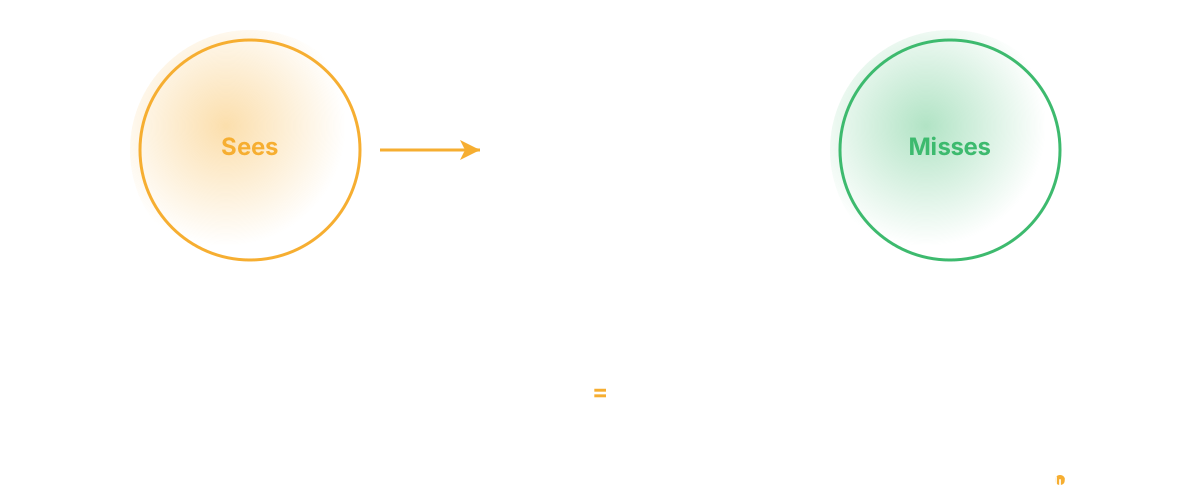
Here's the blindspot nobody talks about with GitHub Copilot and similar AI coding assistants: they''re incredibly good at writing code, but they don''t know what your codebase is supposed to do.
Copilot learns from two things: the immediate context window (the last 50-100 lines you''re looking at) and general training data from millions of codebases. It knows patterns. It knows syntax. It doesn''t know your service boundaries, your architectural decisions, your data model constraints, or the business rules encoded in your system.
This means Copilot generates code that works syntactically but violates system-level constraints. The code compiles. The tests pass. The feature ships. Then six weeks later, you''re debugging subtle bugs that stem from violated assumptions.
Real Examples of Codebase Blindness
Let me give you concrete examples:
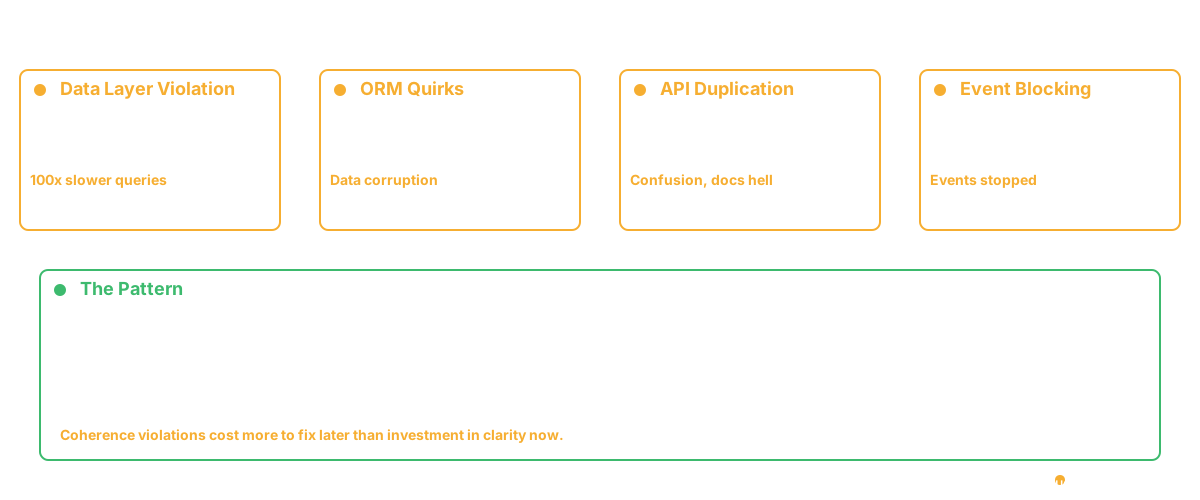
The data layer violation: Your architecture has a strict rule: services never call the database directly. All database access goes through a data layer. This is how you enforce schema migrations in one place, manage connection pooling, and keep services decoupled from schema details.
Your junior engineer asks Copilot to add a new query. Copilot looks at existing database code ( - ) sees the pattern of database calls in the data layer ( - ) and also sees some direct database calls elsewhere in the codebase (because legacy code exists). It generates a new query. The junior engineer is happy. It works. It ships.
Suddenly you''re investigating why a certain query is taking 100x longer than expected. The new code is doing a direct database call in a loop without connection pooling. The data layer would have handled that. Copilot didn''t know the rule existed.
The migration story: You''re using a specific ORM with a specific migration strategy. All schema changes go through migrations in a central directory. Copilot sees this pattern and generates a new schema change. But the ORM has a quirk ( - ) certain field types need custom SQL that the ORM doesn''t generate. Copilot doesn''t know about the quirk because it''s specific to your system.
The migration looks correct. It passes all tests. It deploys. Data gets corrupted on a specific field type because the ORM-generated SQL isn''t handling it right. Now you''re rolling back and fixing.
The API duplication: You have 15 customer-facing endpoints. Copilot sees the patterns and generates what looks like a new endpoint. The PM doesn''t know it''s 95% duplicate to an existing endpoint that was built last year. Both endpoints ship. Now you''re maintaining two code paths that do the same thing.
Users are confused. Docs need to explain both. The team can''t decide which one to deprecate. Copilot generated good code. It just didn''t know the endpoint already existed.
The event-driven violation: Your system is event-driven. Services publish events. Other services subscribe. This is how you keep services decoupled.
Someone asks Copilot to "add logging when a user is created." Copilot sees logging code scattered throughout the user service. It generates inline logging in the create-user function. Works fine. Deploys.
Three months later you''re debugging why events aren''t publishing. Turns out the logging code is blocking the event publishing because of how you structured concurrency. Copilot didn''t understand that logging in user-creation had to happen asynchronously to not block the event pipeline.
Why This Is Hard
The problem isn''t that Copilot is bad. It''s that your system has implicit knowledge that lives nowhere but in engineers'' heads.
Real systems have constraints. Lots of them:
- "Requests to this service always go through the API gateway"
- "Authentication happens at the boundary, not inside handlers"
- "Cached data must be invalidated through this channel, not directly"
- "Service A and Service B must never talk directly"
- "This field is immutable after creation"
- "All external integrations are asynchronous"
- "Error handling follows this pattern, not that pattern"
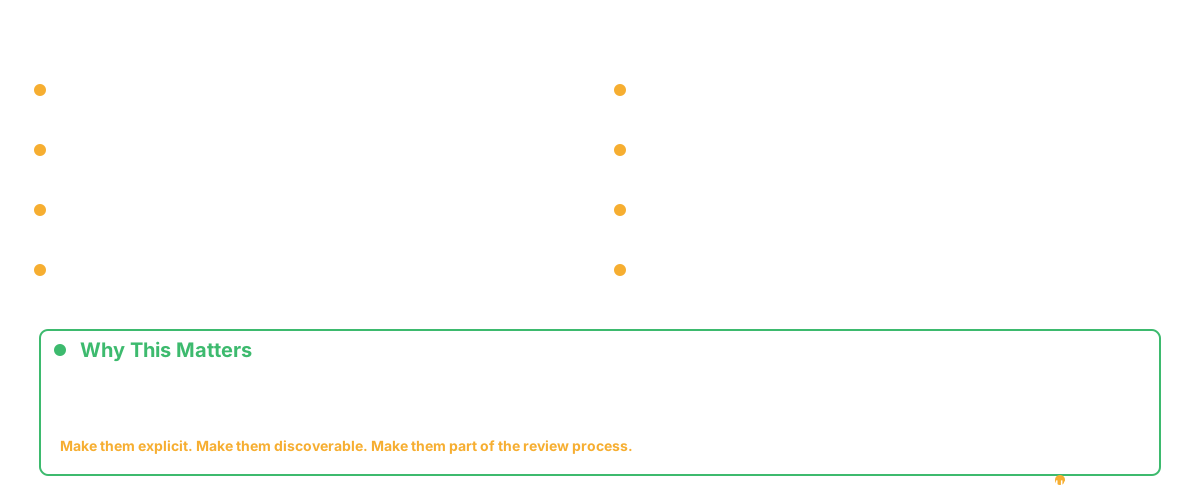
These aren''t just code style. They''re system design. They matter. Breaking them breaks coherence. But they''re hard to enforce because they''re nowhere to enforce them. They exist in code review comments. In pull request discussions. In the vague sense that "this doesn''t feel right."
Copilot doesn''t have access to vague senses.
What Actually Works
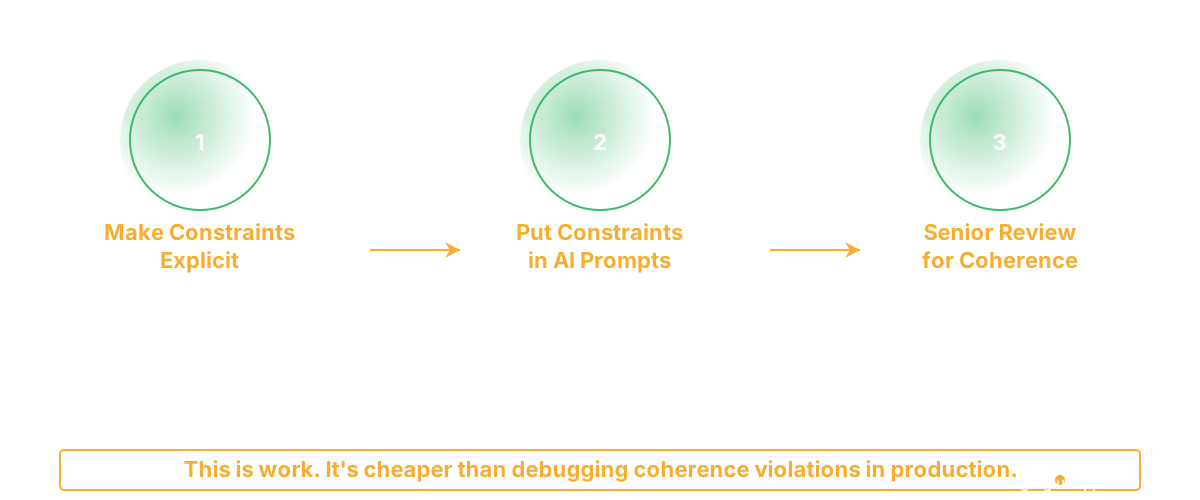
You need three things working together:
First: Make constraints explicit. Before Copilot touches your codebase, document the constraints. Not exhaustively ( - ) just the top 20% that explain 80% of how the system works.
Write an architectural guideline: "Services don''t talk directly. They publish events. Here''s the pattern. Here''s what the event schema looks like. Here''s what happens if you violate this."
Write an ADR: "We''re event-driven because we''ve learned that tight coupling causes cascading failures. Caching is the exception ( - ) here''s when."
These should live where engineers see them. In a docs/ directory. In the README. Linked from the code.
Second: Put constraints in your AI prompts. When you ask Copilot to write something, give it the constraints up front.
Instead of: "Add a new user lookup query"
Write: "Add a new user lookup query. Our system uses ( - ) [data layer pattern]. Here''s the data layer interface. All database access goes through it. Return code that follows this pattern."
Include code examples in your prompt. Show the right way and the wrong way. Copilot is actually good at following patterns when they''re explicit.
Third: Use human review to catch system violations. Your code review shouldn''t be checking syntax. Linters do that. It should be checking: "Does this respect our system constraints?"
This requires senior people. It requires people who understand the full system, not just the function they''re looking at. It requires asking: "Why did they make this choice? What assumption are they making? Does that assumption hold in our system?"
When junior engineers write code with AI assistance, you need senior engineers specifically checking for coherence. This is a different kind of review than "does the code work?" It''s "does the code work with everything else?"
The Uncomfortable Part
Making constraints explicit is work. Updating prompts with context is work. Doing review focused on system coherence is work. None of this is free.
Most teams skip it because it feels overhead. "We''re moving faster with Copilot. Let''s not slow down with documentation and rigorous review."
Then they hit the coherence problems and have to fix them. That''s more expensive. But it''s in the future, so teams discount it.
The teams that win with AI tools don''t pretend the tools are all-knowing. They treat them as code generators that need good input and strong review. They invest in making their systems understandable. They invest in senior review time.
It costs time. It''s cheaper than debugging coherence violations in production.
Frequently Asked Questions
Q: Should we block Copilot from being used in critical systems?
No. Use it everywhere. But be more rigorous about constraints and review in critical systems. The answer isn''t "don''t use AI here." The answer is "use AI carefully here."
Q: How do we know if Copilot generated code that violates system constraints?
That''s what review is for. Senior engineers should be looking for this. Automated checks can catch some violations ( - ) linters can catch style, tests can catch behavior ( - ) but coherence violations usually need human judgment.
Q: Can we configure Copilot to know about our constraints?
Partially. You can write context in comments above where you''re asking Copilot to write code. You can have it reference docs. But it won''t deeply understand your system. That''s why human review is critical.
Related Reading
- AI Code Assistant vs Codebase Intelligence: Why Agentic Coding Changes Everything
- AI Agents for Engineering Teams: From Copilot to Autonomous Ops
- AI for CTOs: The Agent Stack You Need in 2026
- Engineering Copilot vs Agent: Why Autocomplete Isn't Enough
- Context Engineering for AI Agents: Why RAG Alone Isn't Enough
- GitHub Copilot Metrics: How to Measure AI Coding Assistant ROI
- The AI Productivity Paradox
- Glue vs GitHub Copilot