Comparison
Jira is project tracking. Glue is codebase intelligence. Understand how they complement each other for better sprint planning and technical visibility.
At Salesken, our Jira board had 1,200 tickets. Half were duplicates. A quarter were stale. The engineers who needed context couldn't find it in the noise.
Jira is ubiquitous in software teams. It tracks issues, projects, sprints, and commitments. Glue connects to your codebase. These tools don't compete - they solve fundamentally different problems. A Jira ticket represents the work you said you'd do. Glue explains what doing it will actually require. Understanding this distinction clarifies why teams need both, not one or the other.
Jira is project and issue tracking software. It's the source of truth for what work exists, who owns it, when it's due, and what status it's in. Jira excels at workflow management: you can map your process into statuses and transitions, automate notifications, link related issues, and report on team velocity. Most software teams use Jira because it provides a common language for "here's what we're building."
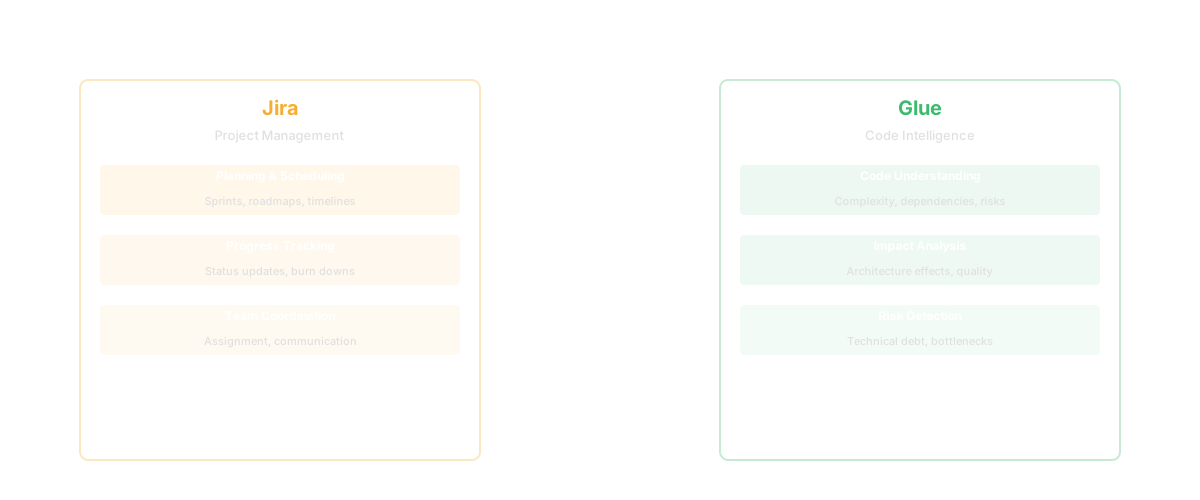
Jira is excellent at representing work. Where it stops: Jira doesn't connect to your codebase. A Jira ticket is a plan or a promise. It doesn't answer "what will we actually touch in the system?" or "why did we estimate this as 3 days when it took 2 weeks?" To answer those questions, someone needs to analyze the code. Jira has no way to do that.
Glue connects to your codebase and lets you ask: "what will this Jira epic actually touch?" "How complex is the payments module?" "What changed last sprint?" "Where's the technical debt?" It answers questions about what the code looks like, who owns which pieces, and what changing it will cost in terms of complexity and dependencies. Glue provides the context that Jira tickets lack. When a PM creates a Jira ticket for "implement subscription discounts," Glue can show the dependency chain: billing module (→) payment processing (→) database schema. When a sprint estimate goes 40% over, Glue can explain why: the payments module has high cyclomatic complexity and tight coupling to the checkout flow. These insights don't exist in Jira. They're embedded in the code.
Jira represents the work plan. Glue represents the technical reality.

| Capability | Jira | Glue |
|---|---|---|
| Issue tracking | Yes | No |
| Sprint planning | Yes | No |
| Project management | Yes | No |
| Codebase visibility | No | Yes |
| Technical debt metrics | No | Yes |
| Dependency mapping | No | Yes |
| Explains estimation misses | No | Yes |
| Answer natural language questions about code | No | Yes |
| Velocity reporting | Yes | No |
Choose Jira if: you need project management, issue tracking, and workflow automation. You're organizing teams around sprints and commitments. You want to report on velocity and burndown. Jira is essential for teams that need a common language for "here's our work."
Choose Glue if: you want to understand why sprint estimates keep being wrong. You want PMs to see technical constraints before committing to a Jira epic. You want codebase documentation that stays current. You want to know which systems will be affected by a change before you build it. You want PMs asking questions about the code without learning to read it.
| Feature | Jira | Glue |
|---|---|---|
| Issue tracking | Core feature — industry standard | Not applicable |
| Sprint management | Scrum and Kanban boards | Not applicable |
| Workflow automation | Rules, triggers, transitions | Not applicable |
| Velocity tracking | Story points and time tracking | Not applicable |
| Roadmap planning | Advanced Roadmaps | Not applicable |
| Codebase understanding | Not available | Natural language code Q&A |
| Dependency mapping | Not available | Full dependency graph |
| Code ownership | Not available | Git-history-derived ownership |
| Knowledge silo detection | Not available | Identifies knowledge concentration |
| Bus factor analysis | Not available | Calculates bus factor per module |
| Technical debt visibility | Not available | Quantifies code health issues |
| Feature discovery | Not available | Catalogs product features from code |
| Impact analysis | Not available | Shows blast radius of changes |
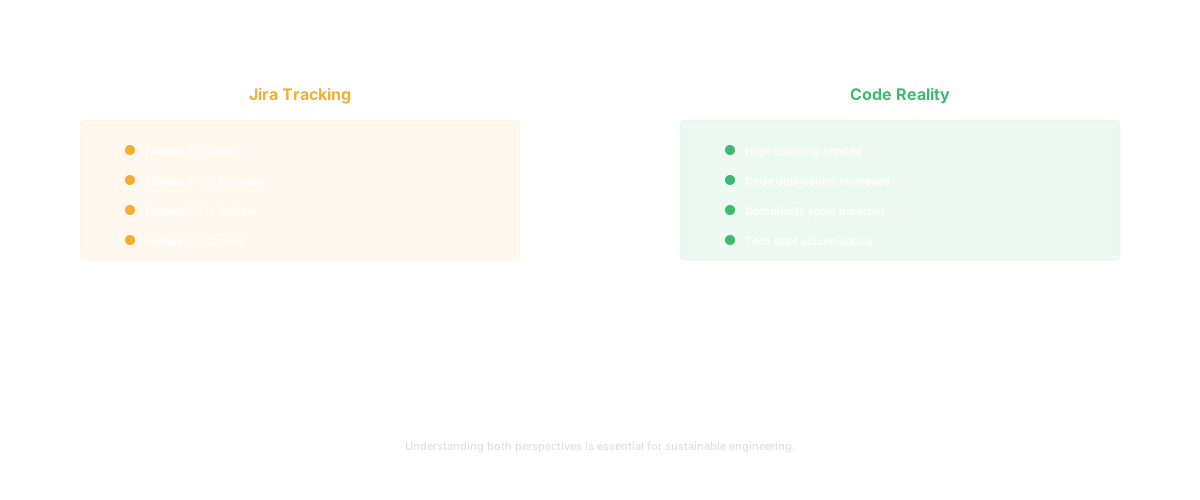
Every engineering team has experienced this: a Jira ticket estimated at 3 story points takes 15. The sprint blows up. The PM is frustrated. The engineer is frustrated. Nobody saw it coming.
Why? Because Jira estimates are based on what people THINK the code looks like, not what it ACTUALLY looks like. The engineer estimated 3 points because they assumed the payment module was straightforward. In reality, it has 23 internal dependencies, a bus factor of 1, and technical debt that hasn't been addressed in 18 months.
The pattern repeats:
Glue breaks this cycle by making the codebase visible BEFORE estimation. When a PM creates a ticket for "Add SSO support," they can ask Glue: "What does our authentication system look like?" and get an honest picture of complexity, dependencies, and ownership. The estimate is grounded in reality, not assumptions.
Without Glue: The product team reviews 30 Jira epics for Q2. Engineers estimate each epic in a 2-hour planning session. Estimates are rough because nobody can hold the entire codebase in their head. By mid-quarter, 40% of epics are behind schedule. The cause: hidden dependencies and underestimated complexity that only became visible during implementation.
With Glue: Before the planning session, the PM uses Glue to pre-research each epic. "What modules does the notification system touch?" "How complex is the search infrastructure?" "What would adding multi-tenant support require?" Each epic has a technical context brief. Engineers review the brief and estimate with actual code data. By mid-quarter, 85% of epics are on track.
The difference isn't better engineers or better PMs. It's better information at the point of decision.
Q: Do we need both Jira and Glue?
Yes. Jira manages the work. Glue explains the codebase. A PM using both can create a Jira ticket, then use Glue to understand what it will actually touch. That's the ideal workflow.
Q: Can Glue replace Jira?
No. Glue doesn't track work, manage sprints, or provide workflow automation. It doesn't answer "what did we commit to?" It answers "what does the code look like?" and "what will changing it require?"
Q: Can Jira replace Glue?
No. Jira doesn't connect to the codebase. It can't analyze code complexity, map dependencies, or explain why estimates are wrong. Someone would need to manually maintain that information in Jira, which defeats the purpose.
Q: How do the two work together?
A PM opens a Jira epic. They open Glue and ask "what will this touch?" Glue shows the complexity and dependencies. The PM uses that context to update the Jira estimate. The team builds the feature with better understanding of what they're committing to.
Keep reading
Related resources
