Glue

AI codebase intelligence for product teams. See your product without reading code.

Product

  • How It Works
  • Benefits
  • For PMs
  • For EMs
  • For CTOs

Resources

  • Blog
  • Guides
  • Glossary
  • Comparisons
  • Use Cases

Company

  • About
  • Authors
  • Support
© 2026 Glue. All rights reserved.
RSS
Glue
For PMsFor EMsFor CTOsHow It WorksBlogAbout
COMPARISON

Glue vs Linear for Product Teams

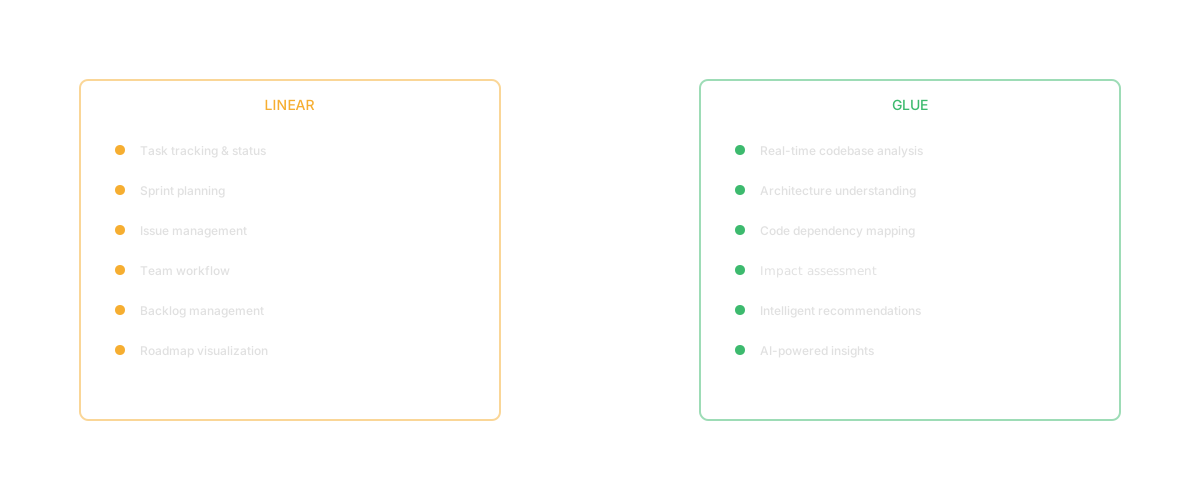
Linear manages issues. Glue gives you the code intelligence to prioritize and plan them. They're complementary.

PS
Priya ShankarHead of Product
March 31, 202613 min read

By Priya Shankar, Head of Product at Glue

Everyone has opinions about Jira. If you are looking for a Jira alternative in 2026, you have plenty of options: Linear, Asana, Shortcut, ClickUp. But if your frustration with Jira is not about the tool itself but about what it cannot tell you, the comparison shifts. Jira tracks tickets. It does not understand your codebase. That distinction matters more than any UI redesign or workflow simplification.

This comparison addresses a specific question: when the gap between project management and engineering reality is your problem, is the answer a different project management tool or a different kind of tool entirely?

Overview

Jira has been the dominant project management tool in software development for over fifteen years. Atlassian reports over 300,000 customers, and for many engineering organizations, Jira is synonymous with "how we track work." It is configurable to an almost absurd degree, with custom fields, workflows, automations, and an ecosystem of thousands of marketplace integrations.

Glue is not a Jira competitor in the traditional sense. It does not track issues. It does not manage sprints. It does not display burndown charts. Glue is an AI codebase intelligence platform that gives product teams visibility into the software their team is building. The question is not "should I switch from Jira to Glue?" but "what does Jira not tell me, and does that gap matter?"

The gap Jira cannot close is the one between tickets and code. Jira knows that ticket PROJ-1234 is assigned to Sarah and due Friday. It does not know that PROJ-1234 involves modifying a module that three other in-flight projects also touch, that the module has significant technical debt, or that the estimate is based on an incomplete understanding of the system. That gap is where Glue operates.

Quick Comparison

CapabilityGlueJira
Issue trackingNoneStrong
Sprint managementNoneStrong
Agile workflow managementNoneStrong
Custom workflowsNoneStrong
Reporting and dashboardsLimitedStrong
Codebase Q&AStrongNone
Feature discoveryStrongNone
Dependency mapping (code-level)StrongNone
Technical debt visibilityStrongNone
Effort estimation from codeStrongNone
Ecosystem and integrationsGrowingMassive
Primary audiencePMs, EMs, CTOsEveryone (broad)
Setup complexityLowModerate to high

What Jira Does Well

Jira's dominance is not an accident. It does several things well, especially at scale.

Configurability. Jira can model almost any workflow. Custom fields, custom issue types, custom statuses, custom automations. For organizations with specific process requirements, this flexibility is powerful. No two Jira instances look the same, which is both its strength and its curse.

Ecosystem. The Atlassian marketplace has thousands of integrations. Jira connects to virtually every developer tool, communication platform, and business system. For organizations already in the Atlassian ecosystem (Confluence, Bitbucket, Trello), the integration is deep.

Scale. Jira handles thousands of users across dozens of teams with complex permission structures. For large enterprises, the ability to manage portfolios, programs, and projects within a single platform has real value.

Reporting. Burndown charts, velocity tracking, sprint reports, cumulative flow diagrams. Jira's reporting capabilities provide visibility into team performance and project progress. The data is there, even if extracting it sometimes requires more configuration than you would like.

Where Glue Is Different

Jira shows you the work. Glue shows you the system the work is being done on.

Codebase understanding. Jira tickets describe what needs to be done in human language. Glue understands what the codebase contains in code language. When a Jira ticket says "add referral program," Jira tracks who is assigned and when it is due. Glue can tell you which modules are affected, what dependencies exist, and where technical debt will slow the team down.

Context for estimation. The perennial Jira frustration: story point estimates that bear little relation to actual effort. The problem is not Jira. It is that estimation happens without codebase context. Glue provides that context before tickets are written, so estimates are grounded in system reality. For an analysis of why sprint planning is broken, the root cause is often the gap between what Jira tracks and what the codebase requires.

Proactive insight. Jira is reactive: it shows you what people tell it. Nobody creates a Jira ticket for "hidden dependency that will surface in week three." Glue proactively surfaces these risks by analyzing the codebase. The insights that prevent delays are the ones nobody thought to create a ticket for.

Feature inventory. Jira tracks work items, not features. "What features does our product have?" is a question Jira cannot answer because it models work, not the system. Glue catalogs features by analyzing the code, giving product teams a complete picture of what exists.

When to Choose Jira

Jira is the right choice when you need enterprise-grade project management with maximum configurability and ecosystem integration. If your organization runs multiple teams with complex workflows, uses other Atlassian tools, and needs portfolio-level reporting, Jira remains the standard.

For teams that need a traditional Jira alternative, consider Linear (faster, simpler), Shortcut (similar philosophy), or Asana (stronger cross-functional visibility).

When to Choose Glue

Choose Glue when your problem is not tracking work but understanding the system the work is being done on. If PMs are flying blind on codebase complexity, if estimates are consistently wrong, if roadmaps slip because of hidden dependencies, Glue addresses the information gap.

For product managers, the question is not "should I replace Jira?" It is "what intelligence am I missing that would make Jira more useful?" Glue provides the codebase context that makes every Jira ticket more accurately scoped and estimated.

Can You Use Both?

Yes, and this is the expected pattern. Jira (or Linear, or Shortcut) manages execution. Glue provides the intelligence that makes execution planning more accurate. The workflow is: use Glue to understand what a feature involves, use that context to write better tickets with more accurate estimates, and track execution in Jira.

Glue does not replace your project management tool. It makes your project management tool reflect reality.


FAQ

Is Glue a Jira replacement?

No. Glue is not a project management tool and does not track issues, manage sprints, or assign work. It is an AI codebase intelligence platform that provides the system understanding that makes project management tools more effective. Most teams use Glue alongside Jira (or Linear, or another PM tool) to bridge the gap between project planning and codebase reality.

Why do Jira estimates keep being wrong?

Jira estimates are wrong because the estimation process lacks codebase context. Engineers estimate based on incomplete mental models of the system, missing hidden dependencies, technical debt, and cross-module complexity. The issue is not Jira's estimation interface but the information available when estimates are made. Tools that surface codebase complexity, dependency chains, and code health at estimation time produce materially more accurate estimates.

What is the best Jira alternative in 2026?

For project management, Linear (speed and simplicity), Shortcut (balanced approach), and Asana (cross-functional visibility) are strong alternatives. If your frustration with Jira is about configurability and speed, these tools address those concerns. If your frustration is about estimates being wrong and roadmaps slipping, the solution is not a different project management tool but codebase intelligence that provides system context for planning. Glue addresses the second problem.

Glue vs Swimm: Codebase Intelligence vs Code Documentation

By Arjun Mehta, Principal Engineer at Glue

When teams talk about codebase documentation automation, two problems get conflated: creating documentation about code and understanding code without documentation. Swimm solves the first. Glue solves the second. If you are evaluating both tools, understanding this distinction will save you time and money.

I have been the engineer who inherits 200,000 lines of undocumented code. I have also been the engineer who writes documentation that nobody reads. Both experiences taught me the same lesson: documentation is not the same as understanding. This comparison explores why that distinction matters.

Overview

Swimm was founded in 2020 with a focus on keeping code documentation in sync with the code itself. Its core insight is correct: traditional documentation goes stale because it is decoupled from the codebase. When the code changes, the docs do not. Swimm solves this by coupling documentation to specific code elements and detecting when those elements change.

Glue approaches the codebase understanding problem from a different angle. Instead of creating better documentation, Glue eliminates the dependency on documentation entirely for many use cases. It reads the code directly and answers questions about it using AI. The understanding is always current because it comes from the code itself, not from a document someone wrote about the code.

The audiences are also different. Swimm serves engineering teams who write and consume code documentation. Glue serves the broader organization: product managers who need to understand the system, engineering leaders who need visibility into technical debt and knowledge risk, and CTOs who need feature inventories. For teams evaluating both tools, the choice depends on whether your bottleneck is documentation quality or codebase understanding across the organization.

Quick Comparison

CapabilityGlueSwimm
Auto-generated documentationLimitedStrong
Documentation synced to codeNoneStrong
IDE integration for docsNoneStrong
Code walkthroughsNoneStrong
Natural language codebase Q&AStrongNone
Feature discoveryStrongNone
Dependency mappingStrongLimited
Technical debt visualizationStrongNone
Non-technical user accessHighLow
AI-powered code understandingStrongModerate
Competitive gap analysisStrongNone
Primary audiencePMs, EMs, CTOsEngineers, technical writers

What Swimm Does Well

Swimm has carved out a genuine niche in the code documentation space.

Code-coupled documentation. Swimm's core innovation is documentation that stays in sync with the code it describes. When the code changes, Swimm detects the change and flags affected documentation for updates. This addresses the single biggest problem with code documentation: it goes stale.

Interactive walkthroughs. Swimm enables engineers to create guided code walkthroughs, step-by-step explanations of code paths with highlighted snippets and annotations. For developer onboarding, these walkthroughs compress the time it takes new engineers to understand critical code paths.

IDE integration. Swimm lives where engineers work. Documentation appears in the IDE alongside the code, reducing the friction of switching to a separate tool. This increases the likelihood that documentation gets both written and read.

CI/CD hooks. Swimm can integrate with your CI pipeline to enforce documentation standards. PRs that modify documented code can trigger reminders to update the associated documentation. This creates a process-level safeguard against staleness.

Where Glue Is Different

Swimm creates documentation. Glue creates understanding. Documentation is a means to understanding, but it is not the only means, and for non-technical stakeholders, it is often not the best means.

Audience. Swimm is built for engineers. The documentation it generates requires technical fluency to read. A product manager looking at a Swimm walkthrough would struggle to extract actionable information. Glue is built for the entire team: PMs who need to understand what exists, EMs who need to visualize dependencies, and CTOs who need feature inventories.

Dynamic vs. static. Swimm produces static documents (even if they stay synced). Glue provides dynamic intelligence. Instead of reading a document about the billing system, you ask "how does the billing system work?" and get an answer tailored to your question. Different questions about the same module produce different, relevant answers.

Discovery vs. description. Swimm describes code that someone has chosen to document. Glue discovers everything in the codebase, including code nobody has documented. For organizations dealing with tribal knowledge loss, Glue captures understanding that was never written down.

Breadth of insight. Swimm is a documentation tool. Glue provides feature catalogs, dependency maps, technical debt visualization, competitive gap analysis, and effort estimation context. Documentation is one piece of the codebase understanding puzzle. Glue addresses the full picture.

When to Choose Swimm

Choose Swimm when your primary need is structured, in-code documentation for engineering teams. If your challenge is that engineers cannot find or trust existing documentation, if onboarding is slow because code paths are unexplained, or if documentation staleness is your biggest pain point, Swimm addresses these problems directly.

Swimm is the right choice when the audience is exclusively engineering and the goal is improving the documentation practice within the team.

Swimm also works well for teams that have compliance or regulatory requirements around code documentation. If your industry mandates documented code processes, Swimm's auto-sync capability ensures that documentation stays current without requiring a separate maintenance effort. This is a genuine advantage over traditional documentation approaches where regulatory compliance creates an ongoing burden.

Engineering teams with strong documentation cultures will get the most from Swimm. If your team already values writing things down and just needs better tooling to keep docs current, Swimm removes the biggest friction point in that practice.

When to Choose Glue

Choose Glue when your challenge extends beyond documentation to understanding. If product managers need codebase visibility, if engineering leaders need technical debt data for leadership conversations, if CTOs need feature inventories for strategic planning, Glue provides intelligence that documentation tools cannot.

Glue is especially valuable when the audience includes non-technical stakeholders and when the goal is bridging the gap between product and engineering rather than improving engineering's internal documentation.

Can You Use Both?

Yes. Swimm improves the engineering team's internal documentation practice. Glue provides codebase intelligence for the broader organization. They address different problems for different audiences. An engineering team using Swimm for documentation and Glue for product-engineering alignment would get value from both without significant overlap.


FAQ

Is Glue a documentation tool?

No. Glue is an AI codebase intelligence platform that provides understanding of your software system through natural language questions, feature discovery, dependency mapping, and technical debt visualization. Unlike documentation tools that produce static documents about code, Glue provides dynamic, AI-powered intelligence that answers specific questions about your codebase on demand. It is built for the broader product team, not just engineers.

How is Glue different from codebase documentation tools?

Documentation tools like Swimm create written descriptions of code that need to be maintained and updated. Glue reads the codebase directly and answers questions in real time, which means its answers are always current without manual maintenance. Documentation requires someone to write it and an audience that can read code. Glue requires neither: it generates understanding automatically and presents it in language non-technical stakeholders can use.

Do I need both documentation and codebase intelligence?

For most organizations, yes. Documentation (Swimm, Notion, Confluence) serves the engineering team's need for structured, detailed code explanations. Codebase intelligence (Glue) serves the broader organization's need for system understanding at a strategic level. They solve different problems: documentation answers "what did we write and why?" while codebase intelligence answers "what does the system do and what would changing it involve?"

FAQ

Frequently asked questions

RELATED

Keep reading

comparisonApr 7, 20268 min

Glue vs GitHub Copilot for Product Understanding

Copilot writes code. Glue reads it for the whole team. Fundamentally different tools for different problems.

AM
Arjun MehtaPrincipal Engineer
comparisonApr 6, 20268 min

Glue vs LinearB

LinearB measures engineering output. Glue gives code intelligence to the whole team — PMs, EMs, and devs.

AM
Arjun MehtaPrincipal Engineer
comparisonApr 4, 20267 min

Glue vs Cortex

Cortex builds service catalogs. Glue gives code intelligence to the entire product team. Different layers of the stack.

AM
Arjun MehtaPrincipal Engineer