
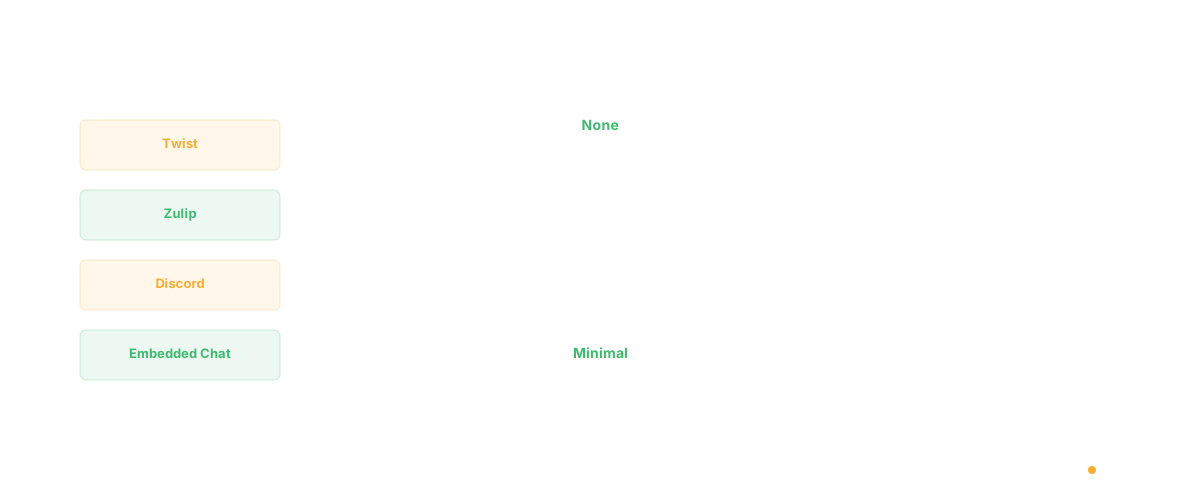
Slack alternatives for engineering teams fall into four categories: async-first tools like Twist that eliminate always-on chat culture, topic-threaded platforms like Zulip that prevent conversation chaos, self-hosted options like Mattermost for data sovereignty, and codebase intelligence tools like Glue that reduce "ask the engineer" interruptions by making answers discoverable without messaging. The best choice depends on whether your primary pain point is notification overload, thread chaos, data control, or knowledge accessibility.
Slack changed how teams communicate. It also destroyed how engineers think.
At Salesken, I tracked our Slack usage for a month. Our engineers received an average of 85 messages per day across channels, threads, and DMs. The context-switching cost was brutal — I watched senior engineers lose entire afternoons to notification fatigue.
The average developer using Slack receives 70+ messages per day across channels, threads, and DMs. A study by Loom found that 47% of knowledge workers say messaging tools are their biggest source of distraction. For engineers who need 20-30 minutes of uninterrupted focus just to load a complex problem into working memory, every @mention is a context switch that costs far more than the 30 seconds it takes to read.
The problem isn't that Slack is bad software. It's that real-time messaging as a primary communication model is fundamentally incompatible with deep technical work.
If your engineering team is drowning in Slack, here are alternatives that approach team communication differently - prioritizing async workflows, reducing interruptions, and keeping engineers in flow.
Why Engineering Teams Specifically Need Slack Alternatives
Before the tool comparison, it's worth understanding why this problem hits engineering teams harder than other functions:
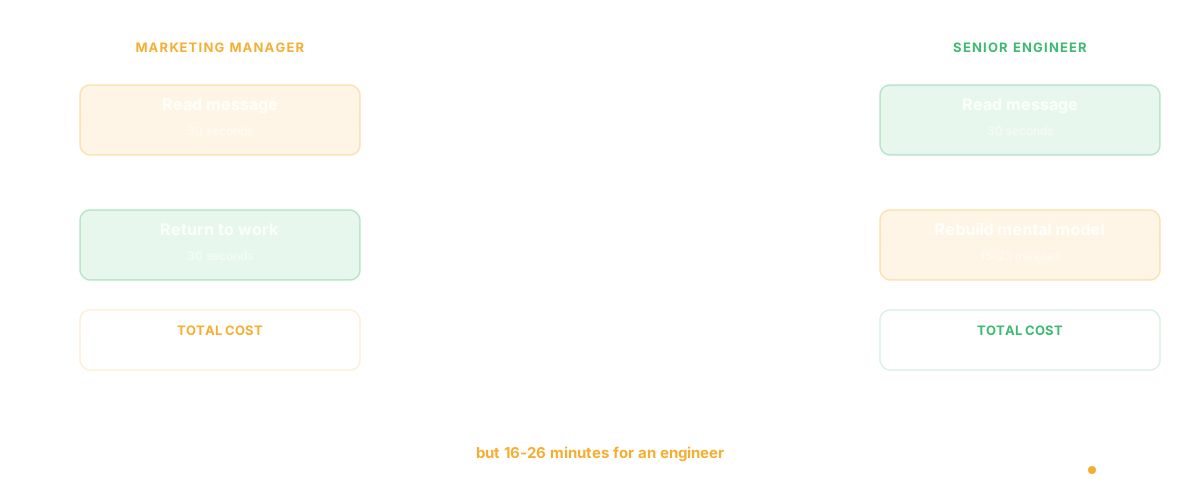
Context switching costs are asymmetric. A marketing manager can read a Slack message, respond, and return to their task in under a minute. An engineer debugging a race condition in a distributed system might need 15-25 minutes to rebuild their mental model after a single interruption. Research from Microsoft suggests it takes an average of 23 minutes to return to a task after an interruption - and that's for average knowledge work, not complex systems programming.
"Quick questions" aren't quick. When a PM asks "can you check if the API supports pagination?" in Slack, the answer takes 30 seconds. Getting back into the state where you were refactoring the auth module takes 20 minutes. The total cost of that "quick question" is 20 minutes and 30 seconds, not 30 seconds.
Real-time chat creates an expectation of real-time response. Even when teams say "respond when you can," the presence indicators, typing notifications, and notification badges create social pressure to reply immediately. This pressure is invisible but measurable - teams with always-on chat tools report 32% more context switches per day than teams using async-first tools.
The 9 Best Slack Alternatives for Engineering Teams
1. Twist - Best for Async-First Communication
Built by the team behind Todoist, Twist is designed from the ground up for asynchronous communication. Instead of channels with endless scrolling, Twist organizes conversations into threads - each thread is a topic, and you engage with it when you're ready.
Why engineers like it: No presence indicators. No typing notifications. No expectation of instant response. Threads have structure - a beginning, a middle, and an end - unlike Slack channels where context disappears into an infinite scroll.
Strengths: Thread-based structure, no notification pressure, clean separation between "need to know" and "nice to know." Limitations: Smaller ecosystem than Slack, fewer integrations, can feel slow for teams used to real-time chat. Pricing: Free for small teams, $8/user/month for unlimited.
2. Microsoft Teams - Best for Enterprise and Microsoft 365 Shops
Teams is the default choice for organizations already running Microsoft 365. Its strength isn't innovation - it's integration. Document collaboration, video meetings, and chat live in one platform.
Why engineering teams use it: If your company is on Azure and Microsoft 365, Teams reduces tool sprawl. The integration with Azure DevOps, GitHub (Microsoft-owned), and SharePoint means fewer context switches between tools.
Strengths: Deep Microsoft ecosystem integration, robust video conferencing, enterprise admin controls, compliance features. Limitations: The interface tries to do everything and does nothing exceptionally well. Notification management is clunky. The threading model is confusing. Pricing: Included with Microsoft 365 Business plans ($6-$22/user/month).
3. Zulip - Best for Topic-Based Threading
Zulip's "topic-based threading" sits between Slack's channel model and Twist's async threads. Every message in a channel must belong to a topic, creating natural conversation boundaries without forcing full async behavior.
Why engineers like it: Reading a Zulip channel is like reading a table of contents - you see topic titles and choose what's relevant. You can skip the topic about office snacks and go straight to "API Rate Limiting Decision." This alone saves engineers 20+ minutes of scanning per day.
Strengths: Topic threading, strong open-source community, excellent search, Markdown support, self-hosted option. Limitations: Smaller user base, fewer polished integrations, UI feels more functional than modern. Pricing: Free (self-hosted), $8/user/month (cloud).
4. Discord - Best for Developer Communities and Startups
Discord evolved from gaming into a surprisingly effective communication tool for developer teams. Its voice channels (always-on rooms you can drop into) replicate the "tap someone on the shoulder" experience of co-located teams without the formal overhead of scheduling a meeting.
Why engineering teams use it: The always-on voice channels create ambient presence - you can work silently in a shared channel and ask a quick question by unmuting. It's the closest digital equivalent to sitting near your teammates.
Strengths: Voice channels, strong bot ecosystem, free for most use cases, excellent mobile experience, screen sharing. Limitations: No enterprise admin controls, limited compliance features, the "gaming" reputation can be a hard sell to leadership. Pricing: Free, Nitro at $9.99/month for larger file uploads.
5. Mattermost - Best Self-Hosted Open Source Option
Mattermost is the self-hosted, open-source alternative for teams that need full control over their communication data. It looks and feels like Slack but runs on your infrastructure.
Why engineering teams choose it: Data sovereignty, customization, and the ability to integrate deeply with internal tools. Teams working on classified or regulated projects often can't use cloud-hosted chat.
Strengths: Self-hosted, open source, Slack-compatible webhooks, DevOps integrations, playbooks for incident management. Limitations: Requires infrastructure management, the free tier lacks some features, smaller integration marketplace. Pricing: Free (self-hosted), $10/user/month (Professional cloud).
6. Linear - Best When Communication Should Be Embedded in Work
Linear isn't a chat tool - it's a project management tool. But increasingly, engineering teams are finding that moving communication into the context of the work itself (issue comments, project updates) eliminates the need for a separate chat tool entirely.
Why this matters: When you discuss a bug in a Slack channel, the context lives in Slack. When you discuss it in a Linear issue, the context lives with the bug - permanently. Six months later, anyone can understand why a decision was made.
Strengths: Beautiful UI, fast, comments and updates live with the work, excellent keyboard navigation. Limitations: Not a replacement for all team communication - you still need something for informal chat and watercooler conversations. Pricing: Free for small teams, $10/user/month for teams.
7. Pumble - Best Free Slack Clone
If you want something that works like Slack but costs nothing, Pumble is the most capable free option. Unlimited users, unlimited message history, and voice/video calls - all free.
Strengths: Genuinely free (unlimited users, unlimited history), familiar Slack-like interface, voice/video calls, screen sharing. Limitations: Fewer integrations, smaller ecosystem, less polished than Slack. Pricing: Free, paid plans from $3.99/user/month.
8. Basecamp - Best for Small Teams Wanting Structured Communication
Basecamp takes an opinionated approach: communication should be structured, not streamed. Instead of channels, you get message boards (for async discussion), campfires (for quick chat), and automatic check-ins (daily/weekly standup prompts).
Why it works for engineering teams: The automatic check-ins replace standup meetings. The message boards replace Slack threads that nobody can find later. The structure forces clarity.
Strengths: Opinionated structure reduces noise, flat pricing, built-in project management, automatic check-ins. Limitations: Less flexible than Slack, fewer integrations, the opinionated approach frustrates teams that want customization. Pricing: $15/user/month, free for students and nonprofits.
9. Glue - Best for Replacing Slack's "Ask the Engineer" Problem
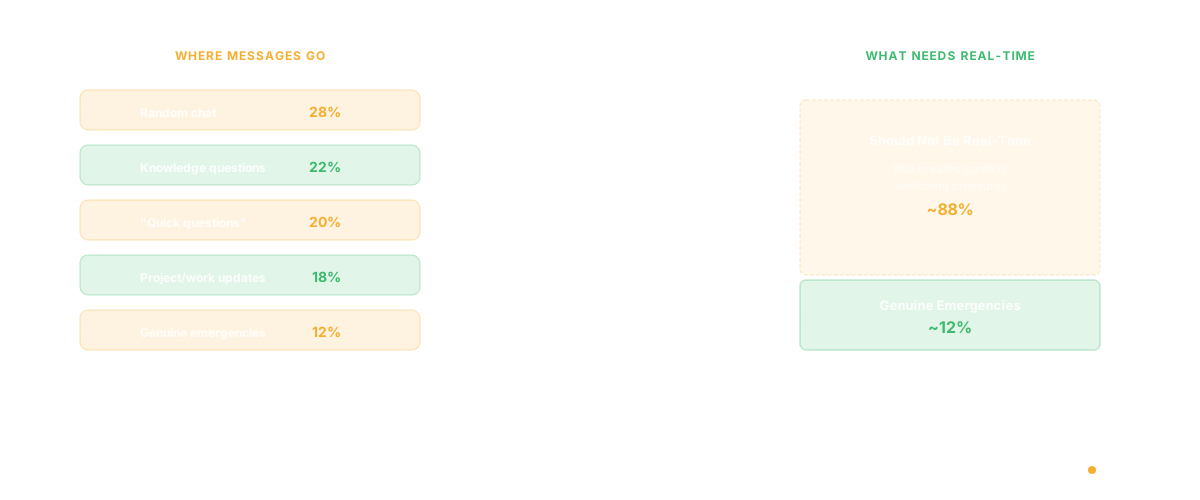
Here's a different take on the Slack alternative question. A significant portion of engineering Slack traffic isn't social chat - it's knowledge requests. "How does the auth module work?" "Who owns the payment service?" "What's the dependency chain for this feature?" Glue eliminates these interruptions entirely by making codebase knowledge self-serve.
Instead of pinging an engineer in Slack and waiting for a response, product managers, designers, and other engineers can ask Glue's AI agents directly. Glue reads the codebase, maps dependencies, tracks ownership, and answers questions about the code - so the senior engineer who knows everything doesn't have to be everyone's search engine.
Strengths: Eliminates the most disruptive category of Slack messages (technical questions), always available, always accurate (reads the actual code), reduces bus factor risk. Best for: Teams where Slack's biggest problem isn't chat volume - it's that Slack has become the primary interface for accessing engineering knowledge that should be self-serve.
Beyond Chat: Rethinking Engineering Communication
The deeper question isn't "which chat tool should we use?" It's "should chat be our primary communication medium at all?"
For a deeper look at how standups specifically fail in Slack, see our post on why daily standups via Slack kill productivity. The most effective engineering teams I've observed use a layered approach: async-first documentation for decisions and context (Notion, Confluence, or Linear), structured discussion for debates and alignment (Twist threads or Linear project comments), and real-time chat only for genuine emergencies and social connection.
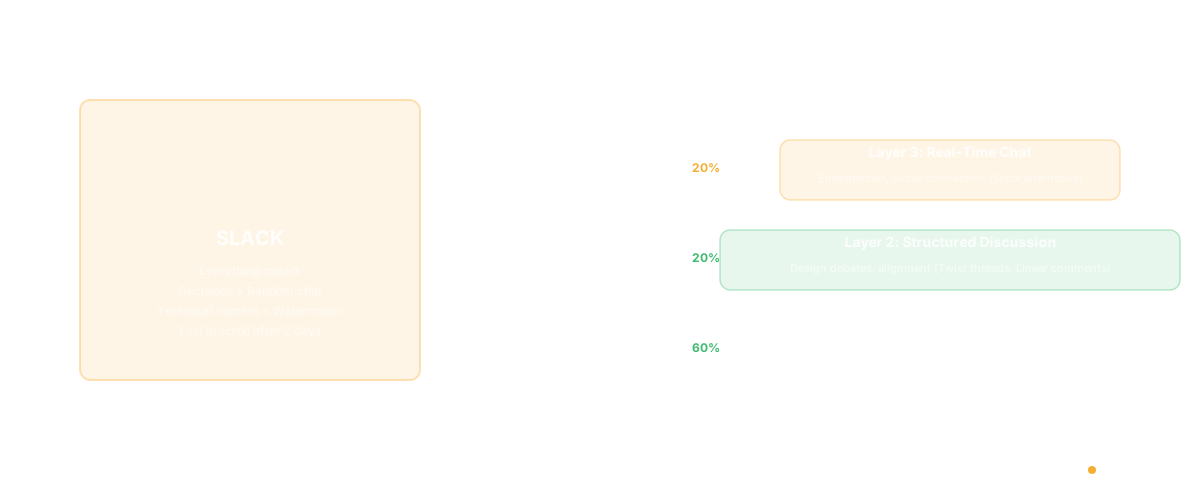
The goal isn't zero Slack messages. It's making sure that Slack (or its alternative) handles the 20% of communication that genuinely needs to be real-time, while the other 80% lives in tools designed for persistence, searchability, and deep work.
Frequently Asked Questions
What is the best free Slack alternative?
Pumble offers the most complete free experience - unlimited users, unlimited message history, and voice/video calls at no cost. For open-source and self-hosted, Zulip and Mattermost both have strong free tiers. Discord is also free and popular with developer teams, though it lacks enterprise features. Teams evaluating alternatives should also consider how each tool handles context switching — the real cost of a messaging tool isn't the subscription, it's the interruption tax.
Does anyone still use Slack?
Slack remains the dominant team messaging tool for tech companies, with over 750,000 organizations using it daily. However, the trend is moving toward async-first alternatives and embedded communication (comments in project tools like Linear) rather than always-on chat channels.
What is the Microsoft equivalent to Slack?
Microsoft Teams is the direct competitor, included with Microsoft 365 Business subscriptions. It integrates deeply with Azure DevOps, GitHub, SharePoint, and other Microsoft services. For organizations already on the Microsoft stack, Teams reduces tool sprawl significantly.
What is the best Slack alternative for developers?
For async-first work: Twist. For topic-based threading: Zulip. For self-hosted: Mattermost. For reducing "ask the engineer" interruptions: Glue. The best choice depends on whether your primary pain is notification overload, thread chaos, data sovereignty, or knowledge accessibility. See also how programmer productivity is affected by communication tool choices.
Related Reading
- Daily Standups via Slack Are Killing Your Engineering Team's Productivity
- Alternatives to Google Docs for Engineering Teams
- Programmer Productivity: Why Measuring Output Is the Wrong Question
- Software Productivity: What It Really Means and How to Measure It
- Knowledge Management System Software for Engineering Teams
- Conway's Law: Why Your Architecture Mirrors Your Org Chart
- ClickUp AI Features