
AI codebase analysis is a distinct category from AI code generation (Copilot, CodeLlama) and AI security scanning — it uses large language models to understand, map, and explain entire codebases at a system level, including dependency graphs, data flows, architectural patterns, ownership concentration, and technical debt distribution. While code generation tools autocomplete individual functions and security tools scan for vulnerabilities, codebase analysis answers system-level questions: "What happens when this service goes down?", "Who understands this module?", and "What are the dependencies between these services?" It gives PMs, engineering managers, and new team members architectural visibility without requiring weeks of code reading.
Across three companies, I've seen the same pattern: critical knowledge locked inside a handful of senior engineers' heads, invisible to everyone else.
By Vaibhav Verma
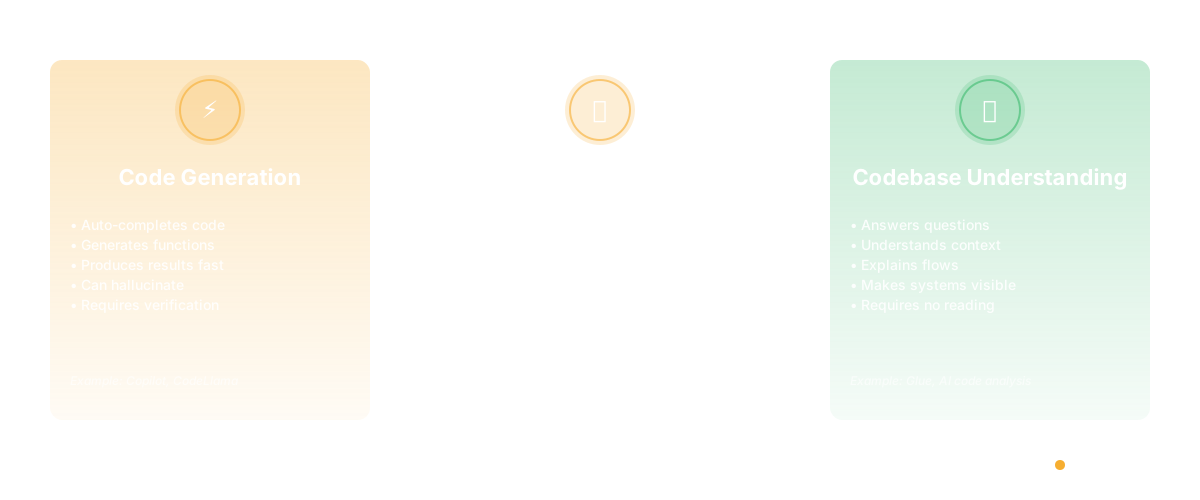
There's a lot of confusion right now about what "AI for code" actually is, because the term gets applied to three completely different things and people think they're the same.
There's AI for coding - Copilot, CodeLlama, the tools that auto-complete your code or generate functions. These are code generation tools. They're useful. They also hallucinate, and you can't trust them without reading what they generated.
There's static code analysis - linters, SAST tools, coverage analysis. These are rule-based tools that measure code properties without understanding context. They tell you the code has a long function or a security issue, but they don't help you understand why it's that way or what to do about it.
Then there's something different, and it's become essential as codebases have grown too large for any person to understand completely: AI-powered codebase understanding. Tools that use language models to answer questions about code you've never read. Not to generate code. Not to flag problems. To make a codebase understandable.
That's what matters now.
Why Codebase Understanding Became Non-Optional
When I was managing product at a 40-person engineering org, I spent an enormous amount of time interrupting engineers. "Can we do this without changing the payment system?" "What's actually in the data pipeline?" "Is this a real constraint or a habit?" Every answer required someone to hold the context in their head and explain it to me. Which they'd do - they were great - but it was expensive for everyone.
The problem gets worse as codebases grow. A 50,000-line codebase is something a single engineer can understand. A 500,000-line codebase isn't. A 5-million-line codebase definitely isn't. No individual person can hold that in their head. And yet, you need to make product decisions, architecture decisions, staffing decisions that require understanding parts of the codebase.
You either accept that you're flying blind, or you find a way to make the codebase navigable without requiring a human guide.
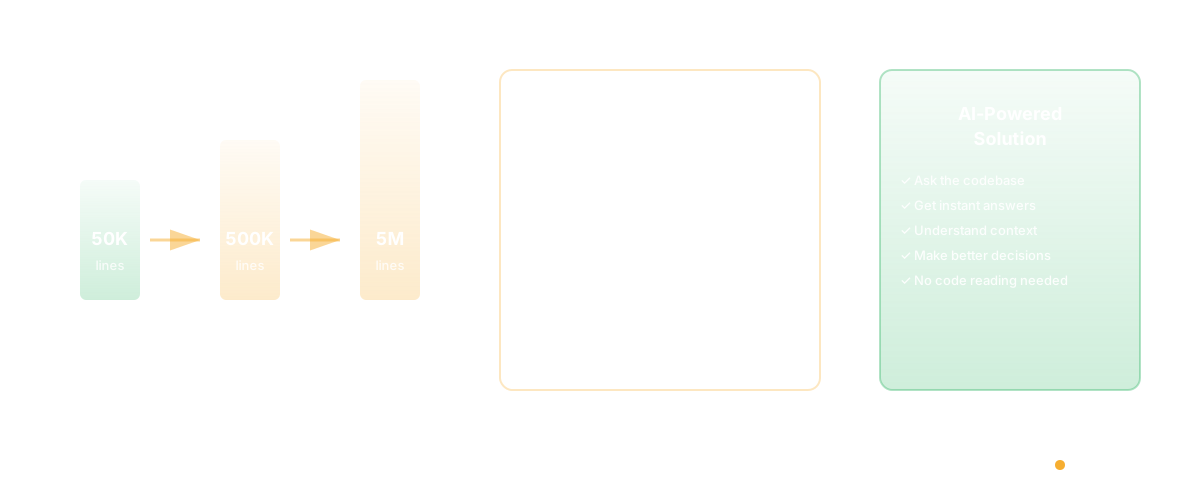
This is where AI codebase analysis comes in. Not as a replacement for engineers or for code reading. As a way to make codebases understandable to people who need to understand them without having to read code.
What It Actually Does
Take a real scenario: I'm a product manager and I need to understand something about our product. Not in abstract terms. At the code level. "What exactly happens when someone hits submit on the checkout form? How many different services are involved? What data gets written where? What could go wrong?"
Traditional answer: I go find the engineer who built it or knows it best. They walk me through it. Takes 30 minutes, and I have a mental model that's incomplete in ways I can't recognize.
With codebase analysis: I ask the tool. In English. "Walk me through the checkout flow from the submit button to the confirmation." The tool reads the relevant code, understands the flow, explains it back to me in a way I can understand. I ask follow-up questions. "What systems need to change if we want to save the cart state?" I get an answer.
I've gone from interrupting someone and getting a partial understanding, to having complete context in minutes.
The Use Cases That Actually Matter
This matters most in four specific contexts:
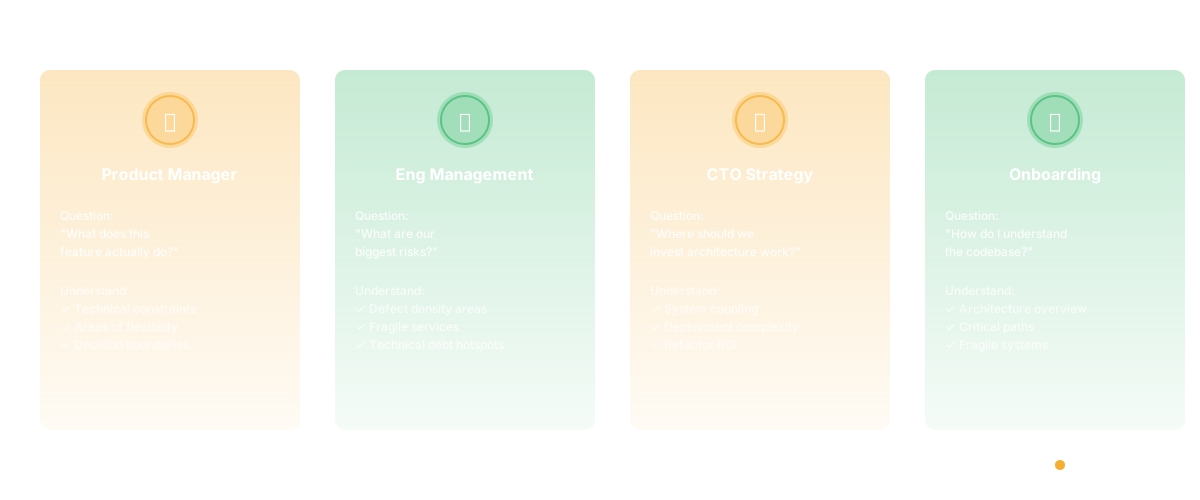
First: Product asking "what does this feature actually do?" A product manager at a mature company needs to understand the product deeply, but there's no way to read millions of lines of code. So you ask. You get answers. You understand where you have technical constraints, where you have flexibility, where you could make changes if you wanted to. This makes you a better decision-maker.
Second: Engineering management asking "what are our biggest technical risks?" An engineering manager is responsible for system health, but they can't read everything. Which parts of the codebase have the highest defect density? Which services are most fragile? Where is technical debt concentrated? If you can see this, you can make staffing and prioritization decisions accordingly. If you can't, you're reacting to fires instead of preventing them.
Third: CTO strategy - "where should we invest our architecture work?" A CTO is making decisions about which systems to refactor, which to replace, which to leave alone. These decisions require understanding coupling, understanding deployment complexity, understanding risk. If you can see this clearly, you make better choices. If you can't, you end up with $2M refactoring projects that don't actually improve things because you didn't understand the constraints.
Fourth: Onboarding. "I just joined the team and need to understand the codebase." Normally this takes months. You read docs, you ask questions, you build a mental model slowly. With codebase understanding, you can ask the codebase directly. "What's the overall architecture? What are the critical paths? What's off-limits because it's fragile?" You get competent much faster.
Why This Is Different From Everything Else
The reason codebase analysis matters specifically now is that we've hit a scale inflection. Codebases used to be small enough that you could understand them through osmosis and conversation. Then they got medium-sized and you needed to be disciplined about architecture. Now they're at a scale where nobody understands the whole thing, and you have two choices: accept that nobody knows what's in the system, or use AI to navigate complexity that humans can't hold in their head.
This is fundamentally different from Copilot, which helps you write code faster. It's different from static analysis, which measures code properties. It's about making invisible systems visible.
And this is actually where AI excels. Not at generating code - LLMs are mediocre at that, and hallucinations are a real problem. But at reading code and explaining it? At navigating large systems and extracting understanding? That's something language models are genuinely good at.
The Codebase Becomes Documentable
Here's what changes when you have this capability: your codebase becomes documentable. Not in the traditional sense of writing documentation, which nobody maintains anyway. But in the sense of being interrogatable.
You can ask it questions about what it does. You can understand flow without reading code. You can find where things are coupled without having to hold the entire graph in your head. You can make decisions based on actual system properties instead of assumptions.
When I was thinking about what Glue should be, this was the central insight. The problem wasn't that code is hard to read. The problem is that large codebases are impossible for any individual to understand. But if a tool can read it, understand it, and answer questions about it - suddenly the codebase becomes something people can work with.
This becomes more important every year, as codebases grow and teams distribute. At some point, codebase understanding becomes a competitive advantage. Teams that can see their systems clearly move faster than teams that are guessing.
Frequently Asked Questions
Q: Isn't this just a fancy way to avoid reading code? No. Reading code is important if you're engineering on a system. But if you're a PM, an engineering manager, or working on a system you're new to, reading all the code isn't efficient. You should understand the system. How you get there is secondary. Codebase analysis is a tool that lets you understand without requiring weeks of code reading.
Q: Will this replace engineers explaining things? No. It's a complement. When you have a specific architectural question, codebase analysis is faster than interrupting someone. When you need to understand tradeoffs or get an opinion, you still need an engineer. This frees up engineers to do engineering instead of spending time explaining the codebase.
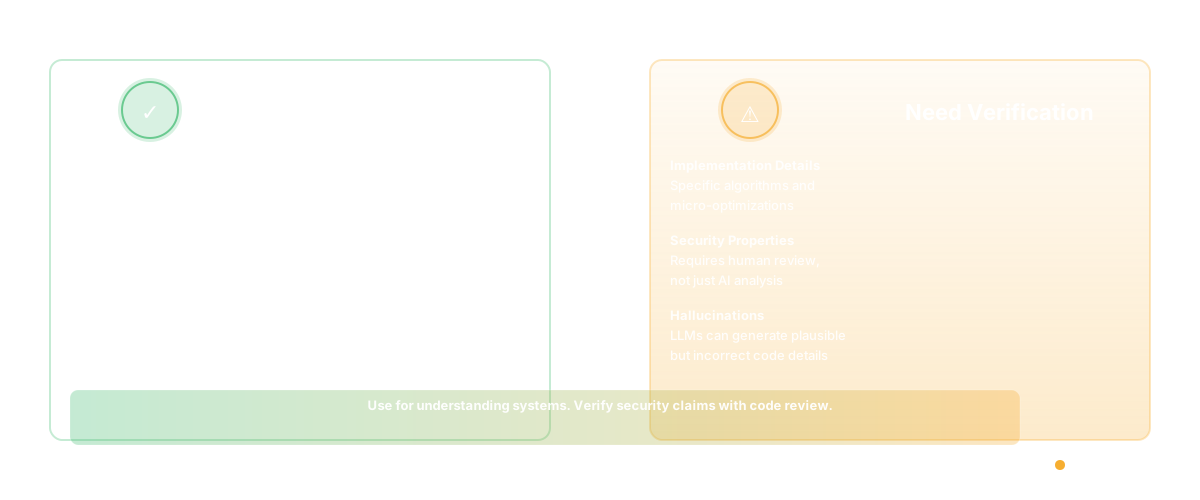
Q: How accurate is AI-powered code understanding? It depends on the tool, but the good ones are very accurate at the system level. Flow analysis, dependency mapping, data flow - these are things LLMs are good at. Where you need to be careful: very specific implementation details, security properties, or anything where hallucination is possible. The distinction between AI code assistants and codebase intelligence matters here — codebase analysis tools are designed for system-level accuracy. Use it to understand systems, not to make security claims without verification.
Related Reading
- AI Code Assistant vs Codebase Intelligence: Why Agentic Coding Changes Everything
- AI Agents for Engineering Teams: From Copilot to Autonomous Ops
- AI for CTOs: The Agent Stack You Need in 2026
- Engineering Copilot vs Agent: Why Autocomplete Isn't Enough
- Context Engineering for AI Agents: Why RAG Alone Isn't Enough
- GitHub Copilot Metrics: How to Measure AI Coding Assistant ROI
- Code Intelligence Platforms
- Codebase Analysis Tools
- What Is Automated Code Insights?
- What Is Codebase Search?
- Glue vs Sourcegraph
- What Is Code Intelligence?