
Across three companies, I've seen the same pattern: critical knowledge locked inside a handful of senior engineers' heads, invisible to everyone else.
The best codebase analysis tools in 2026 fall into four categories: static analysis (SonarQube, CodeClimate) for code quality metrics, architecture visualization (Structurizr, C4 modeling tools) for mapping dependencies, AI-powered codebase intelligence (Glue) for answering strategic questions about your code, and developer portals (Backstage, Cortex) for service catalogs. The right choice depends on your problem: static analysis for quality baselines, visualization for onboarding and architecture mapping, AI intelligence for understanding why code was built a certain way, and portals for service ownership tracking.
Codebase analysis tools have become essential. The question isn't whether to buy one, but which one solves your actual problem.
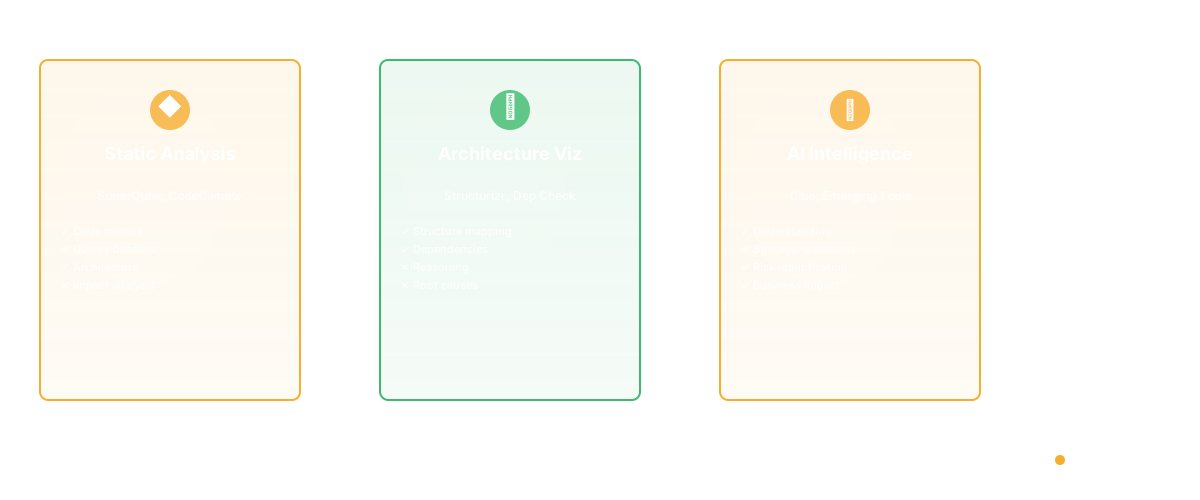
Tool Categories
Static Analysis Tools (SonarQube, CodeClimate): Measure metrics (complexity, duplication, coverage). Good for baseline quality. Not good for understanding architecture or impact.
Architecture Visualization (Structurizr, Dependency Check): Map your structure and dependencies. Good for onboarding. Not good for understanding why architecture is this way.
AI-Powered Codebase Intelligence (Glue): Understand your codebase, answer questions, identify risks. Good for strategic questions. Newer, emerging.
Developer Portals (Backstage, Cortex): Centralize knowledge. Good for service catalogs. Not good for understanding code.
The Decision Matrix
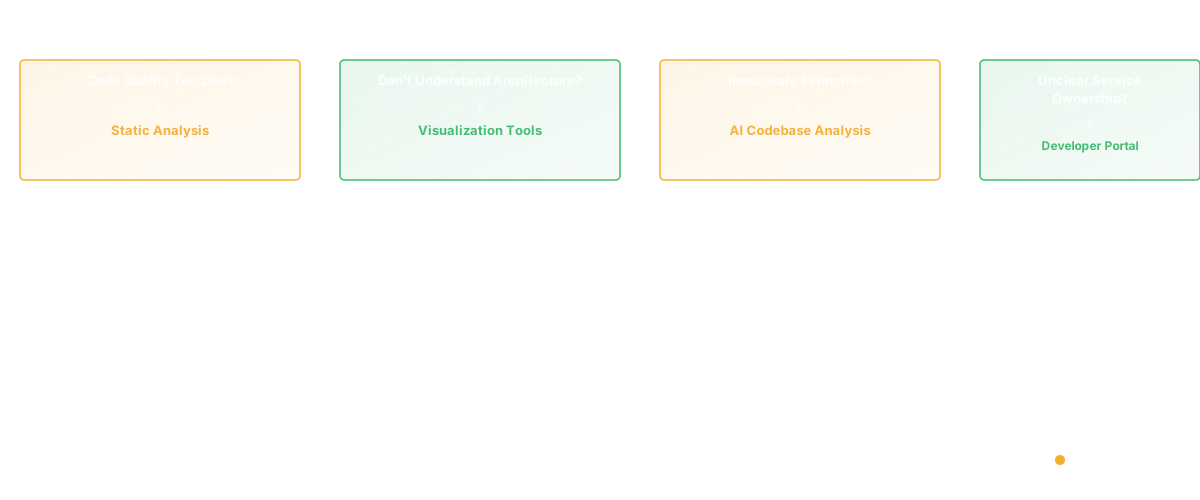
Need metrics on code quality? → Static analysis Need to understand architecture? → Visualization tools Need to answer business questions about code? → AI codebase analysis Need to track what services you own? → Developer portal
Glue vs Competitors
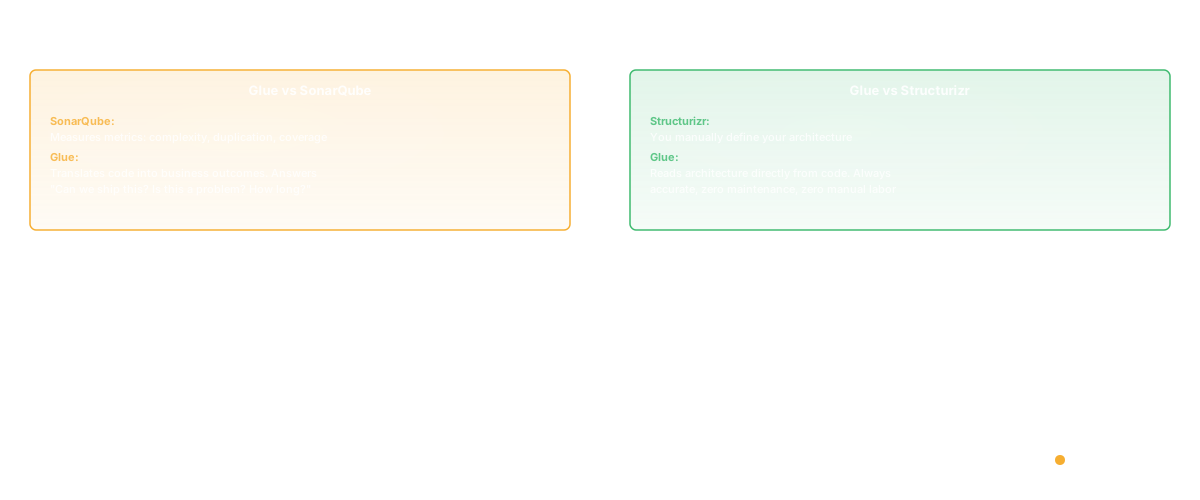
vs SonarQube: SonarQube measures code metrics. Glue translates code into business outcomes.
vs Structurizr: Structurizr requires you to manually define architecture. Glue reads it from code.
vs Backstage: Backstage organizes information. Glue understands code.
Choosing a Tool
Start with the problem. What are you solving?
- Code quality too low? → Static analysis
- New engineers don't understand? → Architecture tools
- Can't make accurate estimates? → AI codebase analysis
- Don't know what services exist? → Developer portal
Consider your maturity:
- Early stage: Probably don't need specialized tools yet
- Growth stage (30-50 engineers): Invest in static analysis + architecture clarity
- Scale (50+ engineers): Add AI codebase analysis

Implementation Tips
Don't install everything. Pick one, get value, then add more.
Integrate into workflows. Tools fail when they're separate dashboards. Success happens when they're in Slack, in GitHub, in your process.
Measure impact. Did you reduce onboarding time? Did estimation improve? If the tool doesn't move metrics, reconsider.
Deep Dive: Static Analysis Tools
Static analysis tools scan source code without executing it. They detect bugs, security vulnerabilities, code smells, and style violations. The most established tools:
SonarQube is the industry standard for enterprise static analysis. It supports 30+ languages, integrates with CI/CD pipelines, and provides quality gates that block deployments if code doesn't meet thresholds. SonarQube excels at tracking code health metrics over time — you can see whether code quality is improving or degrading quarter over quarter.
CodeClimate bundles static analysis with engineering metrics. It provides a "maintainability" score for every file, tracks test coverage, and measures team velocity. The bundled approach is convenient but each component is less deep than dedicated alternatives.
ESLint/Pylint/RuboCop are language-specific linters. They catch style issues and basic bugs but don't provide the architectural analysis that tools like SonarQube offer. Every team should use linters; not every team needs SonarQube.
Key limitation of static analysis: It tells you WHAT is wrong with code (complexity too high, security vulnerability, missing tests) but not WHY it matters for your product. A complexity score of 25 tells an engineer to refactor; it doesn't tell a PM why the checkout feature will take 3x longer than expected.
Deep Dive: AI-Powered Codebase Intelligence
AI codebase intelligence is the newest category. Rather than scanning for bugs or visualizing structure, these tools understand code semantically and answer questions about it.
What AI codebase intelligence answers that other tools cannot:
- "What features does our product currently have?" (feature inventory from code)
- "Who is the only person who understands the billing module?" (bus factor analysis)
- "What would break if we changed the user schema?" (dependency mapping)
- "How does our product compare to Competitor X?" (competitive gap analysis)
- "Why did this sprint take 3x longer than estimated?" (complexity and coupling analysis)
These are strategic questions that require understanding code at a higher level than syntax analysis. The AI reads code like a senior engineer would — understanding intent, structure, and business context.
Glue is the leading tool in this category. It connects to your GitHub repos and provides a natural language interface for asking questions about your codebase. PMs, engineering managers, and CTOs use it to make decisions without reading code.
How to Evaluate Codebase Analysis Tools
The 5-Question Framework
Before evaluating any tool, answer these questions:
-
Who is the primary user? Engineers → static analysis. PMs and managers → AI codebase intelligence. Platform team → developer portal.
-
What problem are you solving? Code quality → static analysis. Architecture understanding → visualization. Business decisions → AI intelligence. Service management → developer portal.
-
What's your team size? Under 20 engineers: linters + basic tooling. 20-100: add static analysis + architecture tools. 100+: add AI intelligence + developer portal.
-
What's your deployment model? Cloud-hosted teams can use SaaS tools. On-premise teams need self-hosted options (SonarQube, Backstage).
-
What's your budget? Free: ESLint, Backstage (open source). Mid-range: CodeClimate, Swimm. Enterprise: SonarQube Enterprise, Glue.
ROI Calculation
The ROI of codebase analysis tools is measured in:
- Reduced onboarding time: New engineers productive in weeks instead of months
- Fewer production incidents: Catching issues before deployment
- Better estimates: Understanding complexity before committing to timelines
- Faster incident resolution: Knowing code ownership and dependencies
Frequently Asked Questions
Q: What are the best tools for measuring developer productivity?
A: The best tools for measuring developer productivity include Glue (engineering intelligence connecting code activity to business outcomes), LinearB (dev pipeline analytics with DORA and flow metrics), Swarmia (developer productivity with team health tracking), DX by Abi Noda (survey-based developer experience measurement), Pluralsight Flow (code-level productivity analysis), and Jellyfish (engineering management with resource allocation). The critical distinction is between tools that measure output (commits, PRs, lines of code) and tools that measure outcomes (cycle time, deployment frequency, feature adoption). Output metrics are gameable; outcome metrics drive real improvement.
Q: Should we buy a tool now or wait?
If code quality is causing shipping delays, buy now. If it's not a problem, wait.
Q: Can we use free tools?
Free static analysis works. Free AI codebase analysis doesn't exist — the computing cost is too high.
Related Reading
- Code Dependencies: The Complete Guide
- Dependency Mapping: A Practical Guide
- Software Architecture Documentation: A Practical Guide
- C4 Architecture Diagram: The Model That Actually Works
- Code Refactoring: The Complete Guide to Improving Your Codebase
- Knowledge Management System Software for Engineering Teams
- Glue vs Backstage
- Glue vs Sourcegraph
- Glue vs OpsLevel