
At Shiksha Infotech, I built an in-house Java monitoring system to replace IBM Netcool/Proviso. It was ambitious. We pulled it off. But the decision to build custom instead of picking an established alternative cost us months of debugging framework-level issues that a boring, well-supported tool would have handled out of the box. The system worked, but I learned something I carry with me to every stack decision since: the excitement of building your own thing is real, and it's almost never worth it for infrastructure.
I've watched teams choose technology because it's new, because a cofounder loves Rust, because someone read a blog post about it last week, because it has the most GitHub stars. Then they're stuck maintaining that decision for five years while everyone curses it.
Here's how you actually choose your stack.
Principles of Good Stack Selection
Default to boring technology. This is the single best heuristic. When you're choosing between two options and one is boring and one is exciting, pick boring.
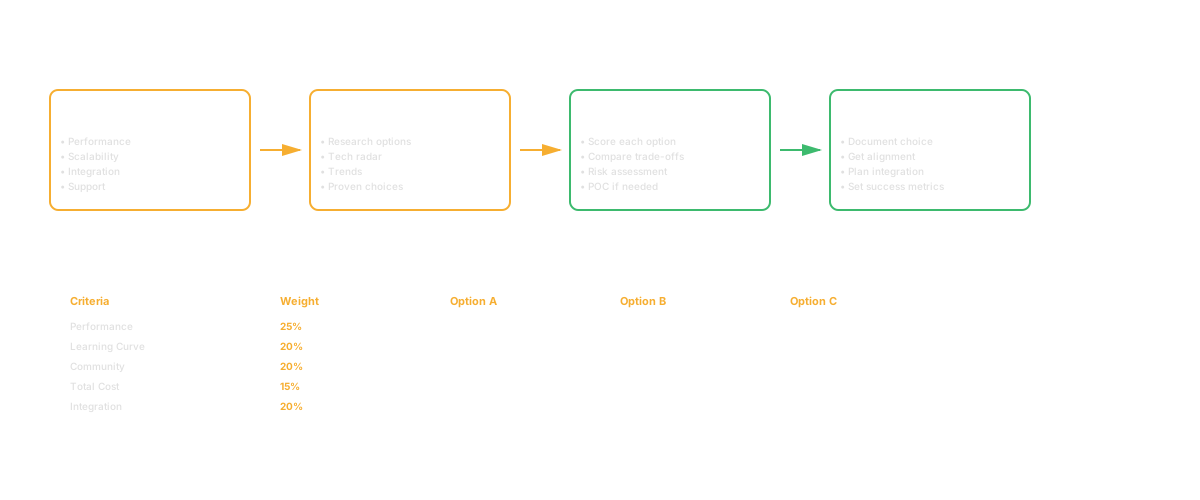
Why? Because boring technology is boring because it works. It's been used at scale. People know how to operate it. Libraries and tooling are mature. When something goes wrong at 2 AM, your on-call engineer can fix it because they've seen it a thousand times.
New technology is exciting because it's new. It hasn't been tested at your scale. Its libraries are immature. When something breaks, you're debugging the framework, not your code. I lived this at Shiksha. We spent weeks debugging issues in our custom Java stack that would have been non-issues in a mature monitoring platform.
Boring means: Use PostgreSQL instead of trying the new distributed database. Use Node.js instead of the language invented last year. Boring works.
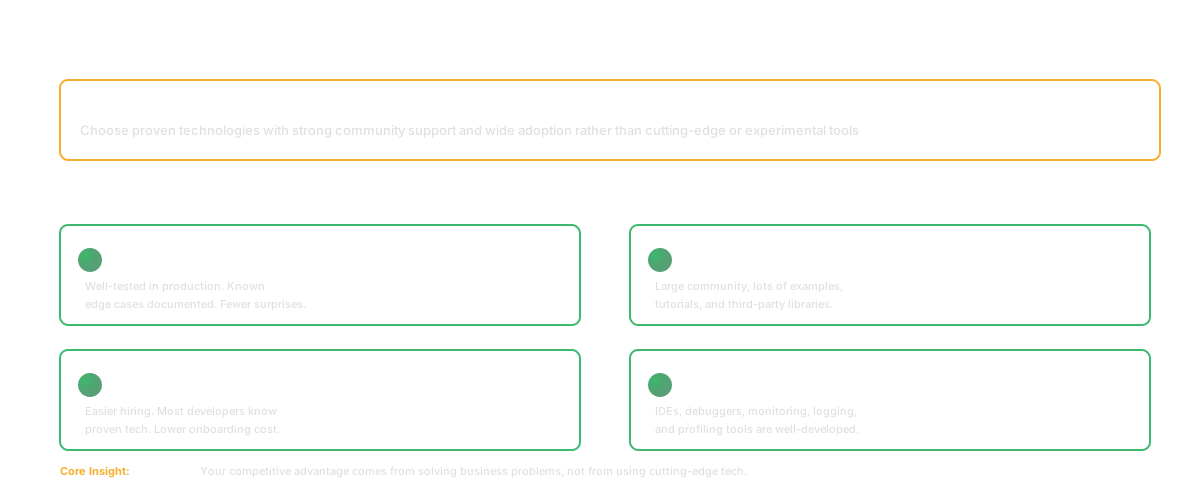
Optimize for hiring and maintainability, not for being cutting-edge. Your company's success depends on hiring and retaining great engineers. In Bengaluru's hiring market, this matters more than most CTOs admit. The pool of engineers who know React and Node is massive. The pool who know your boutique framework is you and two people who follow the creator on Twitter. Great engineers want to work with technology that has a healthy ecosystem. They don't want to be the sole on-call expert for your custom database.
Pick technology that's boring enough that you can hire people who already know it. The 20% performance gain you get from language X is not worth it if your team has to learn a new ecosystem from scratch.
Prefer the technology your team already knows over theoretically better options. At Salesken, our core platform was Java and our ML pipeline was Python. When we needed a real-time analytics layer, there was a strong case for Go. But the team knew Java cold, and productivity in a language you know deeply is 5x what it is in a language you're learning. We stayed with Java. Shipped in six weeks. A Go rewrite would have taken us three months minimum and introduced a new operational surface area nobody on the team understood.
Exceptions exist. If you're hiring a Rust team to build a systems tool, use Rust. If you've already committed to Go and you're hiring Go engineers, use Go. But "should we switch to X for better performance" when your team is productive in their current language? Almost always no.
How to Evaluate a New Addition to the Stack
When someone proposes adding something to your stack, ask three questions:
What problem does this solve that your current tools don't? Not "it's cooler" or "it's faster" (maybe). What specific, documented problem does it solve? "Our current database can't handle our write volume at peak" is a problem. "We should use a graph database because it's cool" is not.
What's the operational overhead? Every technology you own has a cost: documentation, training, on-call expertise, upgrades. If you add a new database, now you need people who understand it. Now you need backups, monitoring, and disaster recovery for it. Is the problem worth that cost?
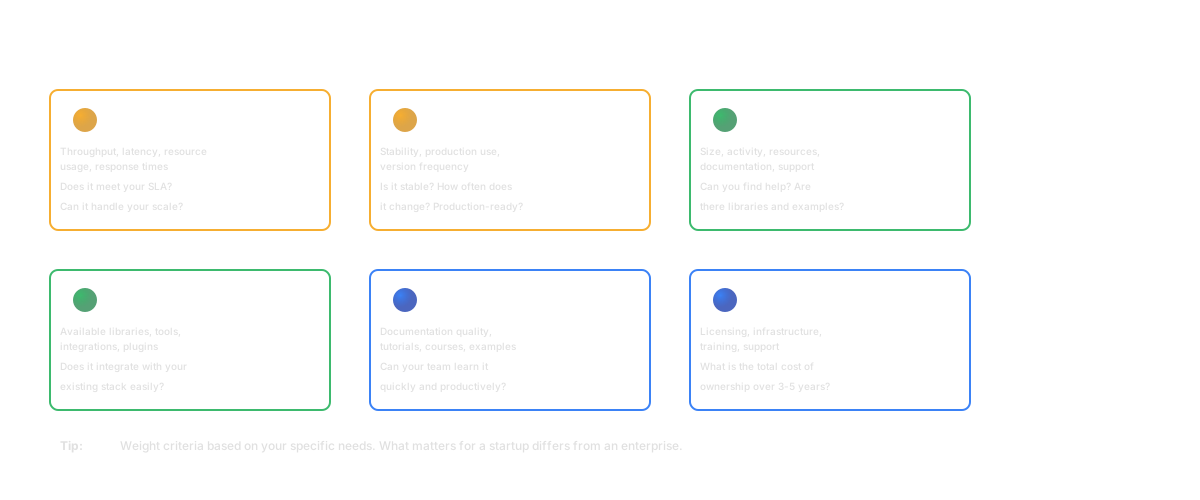
What's the exit strategy? If you choose this and it doesn't work out, how do you get out? Can you migrate away? This is why you don't build core systems on bleeding-edge technology with no migration path.
The exit strategy also includes: if the project is abandoned (open source libraries die), can you fork it or move to alternatives? If it's commercial software and the company shuts down, what happens? I've seen this play out twice in my career. At UshaOm, we built our e-commerce framework on Magento. When Magento's licensing and direction shifted, we had years of work tied to a platform we couldn't easily leave. It was manageable because Magento was big enough to have alternatives and migration paths. If we'd picked something smaller, we'd have been trapped.
Documenting Your Stack
Most teams have a stated stack and a shadow stack. The stated stack is what the CTO says you use. The shadow stack is what actually exists in production because teams built things differently.
Fix this. Document your actual stack. Use Architecture Decision Records (ADRs).
An ADR has these sections:
- Title: "Decision: Use PostgreSQL for core database"
- Status: Accepted / Proposed / Deprecated
- Context: Why did we need to make this decision? "We were using MongoDB but found ACID transactions critical for payment processing."
- Decision: What did we decide? "Use PostgreSQL 14 for the core database."
- Consequences: What tradeoffs does this create? "PostgreSQL won't auto-scale horizontally like our previous solution, so we'll need to focus on vertical scaling and read replicas."
- Alternatives: What else did we consider? "We considered Spanner, CockroachDB, and staying with MongoDB. Spanner is expensive. CockroachDB is less mature. MongoDB doesn't have the transaction support we need."
Write ADRs before you deploy new infrastructure, not after. This forces you to think through the tradeoffs. It creates a record so you don't make the same decision twice. (At Salesken, we didn't start writing ADRs until year two. By then, nobody could explain half the infrastructure decisions. We spent weeks reverse-engineering why things were the way they were. Start the ADRs on day one.)
Communicating to Non-Technical Stakeholders
Your CEO doesn't care if you use Kubernetes or Docker Swarm. They care about cost, reliability, and how fast you can build. But they'll ask about your technology choices, and you need to help them understand.
Here's what actually works: translate every technology decision into the three things leadership cares about: risk, cost, and speed.
"We use PostgreSQL because it's reliable, well-understood, and we can hire people who know it. We could use a more exotic database that theoretically scales better, but the tradeoff is hiring difficulty, maintenance complexity, and the team becoming the only experts. Our current database scales to five-year projected demand with vertical scaling and read replicas, which is simpler than distributed consistency problems."
That's not a technology explanation. That's a business case: lower risk, lower cost, faster hiring.
For the language choice, same framing but different: "We use Node.js because most of our team knows it and the ecosystem is mature. We know Go would be more efficient in some cases, but the time to retrain and the risk of shipping slower outweighs the gains. We'll revisit when we hit specific performance constraints we can't solve in Node." The message: we're making a conscious choice, not a default choice.
When to Change Your Stack
Very rarely. Rewrites are expensive. You stay on your stack until:
- You've genuinely hit the limits of what the technology supports at your scale, you've exhausted the optimization space, and migration is worth the cost. This is rarer than people think. Most "we've hit the limits" conversations are actually "we haven't optimized what we have."
- You can't hire. This actually matters. If you're building in a language or framework where the talent pool has dried up, that's a real constraint. In Bengaluru right now, finding senior Elixir developers is genuinely hard. Finding senior TypeScript developers is not.
- A critical dependency is dead. The framework is abandoned, security patches aren't happening, the ecosystem is shrinking. This is rare, but when it happens, the longer you wait the worse the migration gets.
You don't change because there's something newer and cooler. You don't change because another company uses something different successfully. You change because you're truly blocked.
I got this wrong once. At UshaOm, we considered migrating our entire e-commerce stack from Magento to a custom Node.js solution because Magento felt "old." We spent two months scoping the migration before realizing we were solving a feeling, not a problem. Magento was working. Our customers didn't care what the backend was written in. We killed the migration and spent that energy on features instead. Best non-decision I ever made.
Connecting to Codebase Intelligence
Here's where the stated stack and the actual stack diverge, and where tools like Glue can help. You've documented your tech stack. But what's actually in the codebase?
Questions worth asking: How many different HTTP client libraries are we actually using? Are there five? Are they consistent? Where are we writing raw SQL that bypasses the ORM's security patterns? Which packages are outdated, unused, or have known vulnerabilities?
This is the gap between what the ADR says and what the code does. The longer you go without checking, the wider it gets. Codebase intelligence doesn't make the decisions for you, but it tells you what's actually true so the decisions aren't based on assumptions from eighteen months ago.
Tech Stack Guide in 60 Seconds TL;DR
Default to boring technology that works at scale. Optimize for hiring and maintainability, not cutting-edge. Prefer what your team already knows. When adding technology, ask: what problem does it solve? What's the operational overhead? What's the exit strategy? Document your stack with ADRs that capture context and tradeoffs. Change your stack only when truly blocked: can't scale, can't hire, or critical dependency is dead.
Frequently Asked Questions
Q: Is choosing boring technology the same as not innovating?
No. Boring infrastructure is a foundation for innovation. You innovate on your product, not on your database driver. Use boring technology for infrastructure and plumbing. Save the innovation budget for the thing your customers actually see.
Q: A new team member is fluent in Rust. Should we adopt it?
Not just because one person knows it. One person knowing Rust means one person can maintain Rust code and everyone else is dependent on them. You need at least three people with fluency for any technology to be reliable in production. Then ask: what problem would Rust solve that you can't solve now? If there's no specific problem, keep shipping in what the rest of the team knows.
Q: How do we decide on the right database?
Start with PostgreSQL unless you have a specific reason not to. PostgreSQL handles 90% of use cases. Only switch if you have a documented requirement it doesn't meet: extreme write scale, specialized data structures like graph traversals, time-series workloads. Most "we need NoSQL" decisions come from people who haven't tried PostgreSQL's JSON columns.
Related Reading
- Software Architecture Documentation: The Part That Always Goes Stale
- Platform Engineering: Building Developer Platforms Right
- Feature Flags: The Complete Guide to Safe, Fast Feature Releases
- Understanding Code Dependencies: The Hidden Architecture of Your Software
- Clean Code: Principles, Practices, and the Real Cost of Messy Code
- CI/CD Pipeline: The Definitive Guide