
At Salesken, I started measuring code health after a quarter where our deployment times doubled. The codebase was degrading in ways that weren't visible until I built the right dashboard.
I remember the moment I realized we were drowning in technical debt without actually knowing it. Our velocity was good on paper. We shipped features every sprint. But when I looked at the code, it was getting harder to ship anything without breaking something else. Why? We weren't measuring code health.
This is the most common mistake engineering managers make: they measure delivery without measuring sustainability. You ship features on time, so the team looks good. You don't measure how much of that velocity came from shortcuts. You don't measure how much of next sprint will be spent fixing the shortcuts from last sprint. You're managing blind.
Code health is the measurement that lets you see the sustainability of your velocity. It's not a number to impress executives. It's the diagnostic tool that tells you whether your team is building faster or just borrowing against the future.
This guide is for engineering managers who want to implement a code health practice that actually works. Not a checkbox, not something you force the team to care about. A real practice that helps you make decisions about what to invest in and what to deprioritize. By the end, you should be able to implement a code health baseline by next sprint.
Code Health in 60 Seconds
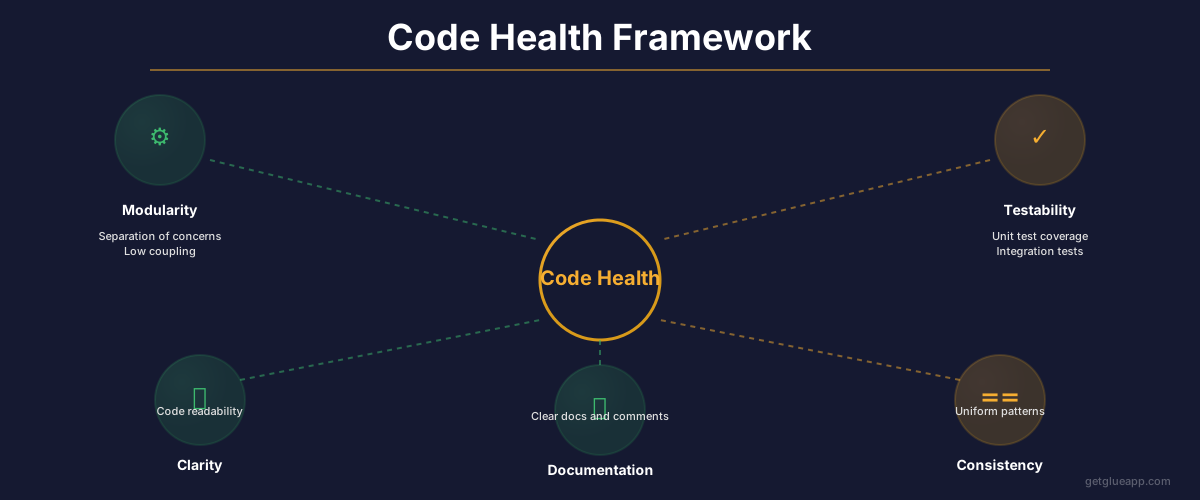
Code health has five dimensions: complexity (how intricate is the code?), coupling (how dependent are modules on each other?), test coverage (what percentage of the code runs during tests?), documentation (what's documented for future readers?), and change failure rate (what percentage of deploys introduce bugs?). You measure each, identify the modules that are worst on each dimension, and work systematically to improve them. The output is not a purity score. The output is a roadmap for technical investment.
Why Code Health Matters Now
Most engineering teams operate on a vague sense of "the codebase is getting worse" without actual evidence. That vagueness makes it impossible to prioritize debt work. Why should you invest three weeks in refactoring the authentication module instead of shipping a new feature? Vague answer: "because the code is messy." Real answer: "because the authentication module has a change failure rate of 15% and every fifth deploy introduces a bug."
The problem is that without a code health framework, you have no way to answer that question with data.
The business impact of unmeasured code health is visible in three places: velocity degradation, increasing incident rate, and team morale. When a codebase accumulates unmeasured debt, velocity doesn't stay flat; it degrades. You're shipping the same number of story points but taking longer. That's not because the team is lazier; it's because the code is harder to work with. The best teams notice this and make it visible. The teams that miss it end up shipping less every quarter while wondering why. The second symptom is incident rate. Unmeasured code health creates fragile code. Features ship with bugs that aren't caught during development because nobody ran the tests or the test coverage is zero. Features break other features because coupling is high. The incident rate climbs without anybody connecting it to code quality. Third is team morale. Engineers hate working in unmeasured code debt. You're asking them to move fast in a codebase that makes moving fast harder every day. They get frustrated, your best engineers leave, and suddenly you're hiring and training while your velocity is falling. That spiral is driven by unmeasured code health.
The fix is simple: measure it, make it visible, prioritize systematically.
The Five Metrics That Actually Matter
Cyclomatic Complexity (and the Red Line)
Cyclomatic complexity is a measure of how many different paths your code can take. Simple code has few paths. Complex code has many. A function with three if statements has higher complexity than a function with one if statement.
This matters because complex code is harder to understand, harder to test, and more likely to have bugs. When a function has 15 different code paths, you can't test all of them. Some path breaks in production.
What you need to know: there is a threshold above which code becomes significantly more buggy. That threshold is around 10. Functions with cyclomatic complexity above 10 have measurably higher bug rates. Functions above 20 are nearly impossible to test comprehensively.
Here's how to use this metric: run your complexity analysis and find your top 20% most complex functions. Those functions are responsible for a disproportionate number of your bugs. When you refactor, start there. When you estimate a feature that touches a complex function, estimate higher because you're working in tangled code.
The action: Get a tool that measures cyclomatic complexity in your codebase. (Most can be integrated into your CI/CD pipeline.) Find the functions above 15. That's your first target list. Over the next quarter, refactor those functions to be below 10. That single action will improve your code health measurably.
Coupling: Fan-In and Fan-Out
Coupling is how dependent different modules are on each other. High coupling means a change in one module breaks others. Low coupling means modules can change independently.
Fan-in is "how many modules depend on me?" Fan-out is "how many modules do I depend on?" The modules you should worry about are high fan-in, high fan-out modules. Those are your architectural bottlenecks.
Example: Your authentication module is used by 15 other modules (high fan-in). It depends on 8 other modules (high fan-out). Changes to the auth module are risky because 15 other modules might break. Changes to the modules it depends on are also risky because they affect auth and everything that depends on it. This module is a bottleneck.
The action: Map your module dependencies. Find modules with both high fan-in (above 8) and high fan-out (above 5). These are your architectural debt areas. When you find them, decide: can we reduce their dependencies, or do we need to isolate them? For high fan-in modules (many things depend on them), you probably reduce fan-out by extracting dependencies. For high fan-out modules (they depend on many things), you consider creating an abstraction layer. The key is being intentional instead of reactive.
Test Coverage (With the Right Caveat)
Test coverage tells you what percentage of your code runs during tests. It's not a quality metric. It's a diagnostic metric. Code with 100% coverage can still be buggy. Code with 30% coverage might be fine if you're covering the critical paths. But code with 5% coverage is telling you that most of your system never runs in tests.
What matters is coverage of your critical modules. Don't aim for 100% coverage of everything. Aim for 80%+ coverage of modules that are complex, highly coupled, or in your critical path.
The action: Run a coverage analysis. Find your top 10 most critical modules (by complexity, coupling, and importance to the product). Check their coverage. If any are below 60%, invest in getting them above 80%. Tests don't need to be perfect; they need to catch obvious breakage.
Change Failure Rate by Module
Change failure rate is what percentage of code changes introduce bugs. Measure this by module. Which modules do you have to deploy hotfixes for most often? Which modules cause the most production incidents? Understanding code review metrics helps reduce this by ensuring quality gates are in place.
This is the most actionable metric because it tells you where the pain actually is. You might think the payment module is your biggest risk, but if it's changing slowly and the changes are reviewed carefully, the failure rate is low. Meanwhile, the dashboard module that has 30 different modules touching it is producing hotfixes weekly.
The action: For the past 90 days, count: for each module, how many deploys touched it, and how many of those deploys required a hotfix or rollback? That ratio is your change failure rate by module. The modules above 15% are your priorities. These are the modules where technical debt is creating operational risk.
Mean Time to Change (or "How long does it take to ship a one-line fix?")
In mature codebases, shipping a one-line change is fast. In codebases with high debt, a one-line change requires finding the code, understanding it, finding all the places that depend on it, testing everywhere, coordinating with multiple teams. A one-line fix takes a week.
This metric is harder to measure precisely, but you can track it: pick a small, low-risk change (a constants update, a copy change, something that should be trivial) and time how long from code review approval to deployed to production. If it's hours, you're good. If it's days, you've got a process or architectural problem.
The action: Monthly, pick one trivial change and time how long it takes to deploy. If it's consistently above 8 hours, you've got a process problem. If it's above 3 days, you've got an architectural problem. Investigate and fix.
Building Your Code Health Baseline (The First-Time Audit)
The Audit Process
Week 1: Pick your tools. You need code complexity analysis, dependency mapping, test coverage analysis. Most mature teams use a combination. Whatever tools you pick, integrate them into your CI/CD pipeline so the data refreshes automatically.
Week 2: Run the analysis across your entire codebase. You'll get output that says "here are your modules ranked by complexity," "here are your modules with the most dependencies," "here is your overall test coverage." Don't get overwhelmed. You're not fixing everything; you're creating a baseline and finding your top 20%.
Week 3: For each metric, identify your top 10 problem areas. Create a spreadsheet. Module name, current complexity, current coverage, current failure rate, current fan-in/fan-out. This is your health dashboard.
Week 4: Present this to your team. Not as criticism of the code; as a diagnostic tool. "Here's where we are. Here's what we can improve. Here are the modules where technical debt is creating the most risk."
The 80/20 Rule
Your codebase probably has 200+ modules. Your top 20% ( - about 40 modules) are probably responsible for 80% of your technical debt problems. The rest of the codebase is fine.
This is powerful because it means you don't need to boil the ocean. You need to focus on 40 modules. Over the next year, get those 40 modules to healthy levels, and your overall codebase health improves dramatically.
The action: In your baseline audit, identify your bottom 40 modules (by combined health score). Create a quarterly plan to improve them. One quarter, improve the top 10. Next quarter, the next 10. In a year, you've addressed your biggest debt without trying to fix everything at once.
Setting Health Thresholds and Alerts
Not all red metrics are equally important. A module can be complex if it's doing something complex. A module can have high coupling if it's supposed to be at the center of your architecture. What matters is intentional design versus accidental complexity.
Here's how to set thresholds that matter:
Green zone: Complexity under 10, coverage above 60%, failure rate under 8%, fan-in under 8.
Yellow zone: Complexity 10-20, coverage 40-60%, failure rate 8-15%, fan-in 8-15. Yellow means "this module needs attention, but it's not urgent."
Red zone: Complexity above 20, coverage below 40%, failure rate above 15%, fan-in above 15. Red means "this module is creating operational risk."
Set up alerts in your CI/CD system. When a module moves from green to yellow, notify the team. When it moves to red, escalate to the engineering lead. This prevents the situation where a module drifts into the red gradually and nobody notices until it's causing incidents.
The action: Next sprint, set up automated checks for these thresholds. Have your CI/CD system block merges that move healthy modules into the red zone (complexity is creeping up, coverage is dropping). Allow merges that keep modules in their current zone. This is low friction; it's just making the trend visible.
Translating Code Health for CTOs and PMs
Your CTO and PM don't care about cyclomatic complexity. They care about business impact: "Are we shipping faster or slower? Are we in better or worse shape than we were three months ago? What will it cost to fix this?"
Create a translation layer.
Instead of: "The auth module has a complexity of 42." Say: "The auth module is 40% more complex than industry average for this type of code. Changes to it take 3 days on average because we have to coordinate across three teams. It has a failure rate of 12%, so roughly 1 in 10 deploys involves this module require a hotfix. Investing $200k in refactoring this module would reduce change time to 1 day and failure rate to under 5%."
The conversation is now about ROI, not metrics.
For your CTO: "We have $500k worth of velocity being spent on fixing technical debt that we're not counting as technical debt. That's 10% of our engineering capacity. Here's where that's happening: (list top 5 modules). If we addressed those, we'd have an extra 50 story points per sprint."
For your PM: "This feature would take 6 weeks instead of 3 weeks because the module it lives in has high coupling. We can either (a) take 6 weeks, (b) invest 2 weeks upfront in decoupling the module and then ship in 4 weeks total, or (c) ship faster with technical shortcuts and accept a higher failure rate."
A 90-Day Code Health Improvement Plan
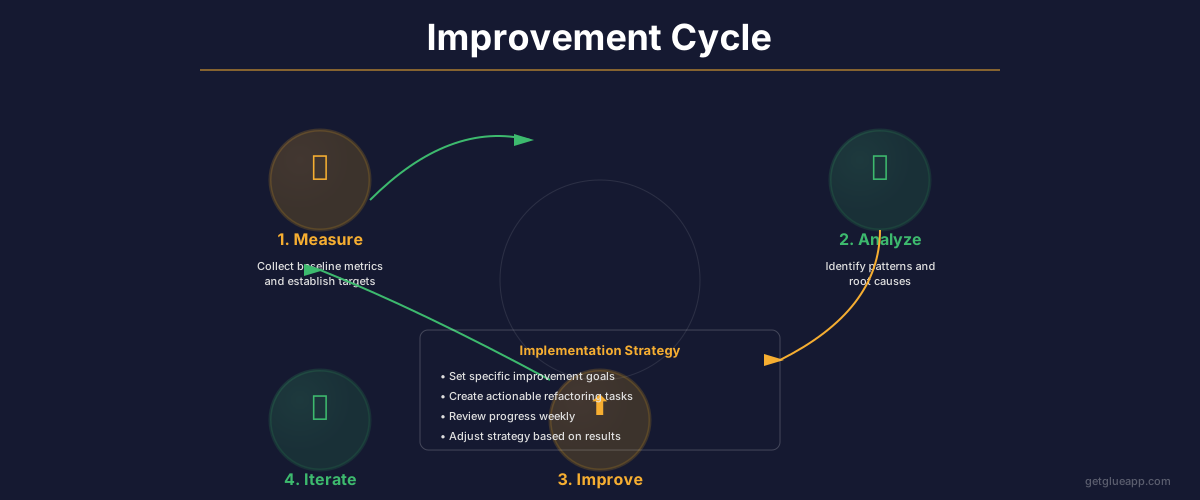
Weeks 1-4 (Establish baseline, target modules)
- Complete the full audit as described above
- Identify bottom 10 modules
- Create a plan to improve each: what's the complexity problem? Is it high fan-out? Test coverage gaps?
- Assign owners to each module
Weeks 5-8 (First pass improvements)
- Refactor the most complex functions (top 5 in your codebase)
- Add tests to the modules with lowest coverage in your bottom 10
- For high fan-out modules, extract dependencies or create abstractions
- Measure progress weekly. Your goal is to see 15-20% improvement in the health metrics
Weeks 9-12 (Consolidate gains, scale improvements)
- Continue refactoring the next set of complex functions
- Reach 80% test coverage on your critical modules
- Deploy abstractions or decoupling changes to production
- Document the patterns that worked so other teams apply them
- Plan the next quarter's improvements
The outcome: At the end of 90 days, your top 10 problem modules should be measurably healthier. Your team should understand what good code health looks like. Your incident rate should be starting to drop.
Common Pitfalls Managers Make
Optimizing for the metric: Setting a coverage target at 100% and letting teams hit it with useless tests. Complexity targets that reward small functions instead of solving real architectural issues. The metric is the diagnostic tool, not the goal. The goal is sustainable velocity.
Treating all debt as equal: You have limited time. Some debt matters; some doesn't. A complex utility function is not the same as a complex module that changes weekly. A high-coupling module that nobody touches is not the same as a high-coupling module that's a bottleneck. Prioritize based on impact and change frequency.
Not connecting health to business outcomes: If your team doesn't understand why code health matters, they'll resist it. Connect health to outcomes: lower failure rate = fewer incidents = faster deployments. Simpler code = faster feature development. Higher test coverage = less time debugging. Make the business case clear.
Changing too many things at once: Don't try to fix complexity, coupling, and coverage in one quarter. Pick one thing. Get it working. Move to the next. Sustainable improvement beats revolutionary change.
Setting health thresholds on day one and never updating them: Your baseline tells you what's possible. Maybe 100% test coverage is impossible given your codebase history. Maybe cyclomatic complexity of 10 is too stringent for your domain. Set initial thresholds, then adjust based on what the team can actually achieve.
How Glue Helps
Glue automates the measurement and communication layers of code health. Instead of running manual analyses every quarter, Glue continuously measures your codebase metrics and surfaces them to your team. More importantly, Glue translates code metrics into architectural insight.
You don't just see "complexity is 42." You see "this module has 42 complexity and is owned by the platform team, changed 15 times last sprint, and has a failure rate of 12%." You can ask Glue "which modules are getting worse?" and see the trend. You can ask "where did our failures come from last sprint?" and get the answer with data.
Glue gives you the visibility you need to make code health a real practice instead of a theoretical concern.
Frequently Asked Questions
Q: My team thinks code health work is slacking. How do I convince them otherwise?
Show them the data. The modules with the worst health have the most bugs and take the longest to change. That's not theoretical; that's their reality. Once you show them that fixing three complex functions reduced their time to deploy from 3 days to 1 day, they'll believe in code health.
Q: What if my codebase is so bad that none of my modules are in the green zone?
Start anyway. Your baseline is just your baseline. It doesn't matter if everything is red. You're measuring improvement from where you are. Pick your bottom 20% ( - the very worst modules) and focus there. Over three quarters, you'll see significant improvement.
Q: We don't have test coverage tracking. Should we start there?
No. Start with complexity. Complexity is simpler to measure and has the biggest immediate impact on developer experience. Coverage is important but secondary. Get complex functions simpler first, then add tests.
Q: How often should I review code health metrics with the team?
Weekly is probably too much unless you're in a heavy debt paydown mode. Monthly is good. Quarterly is too infrequent. I recommend monthly reviews: "Here's where we were, here's where we are, here's what changed, here's what we're focusing on next month."
Related Reading
- Technical Debt: The Complete Guide for Engineering Leaders
- Code Refactoring: The Complete Guide to Improving Your Codebase
- DORA Metrics: The Complete Guide for Engineering Leaders
- Software Productivity: What It Really Means and How to Measure It
- Code Quality Metrics: What Actually Matters
- Cycle Time: Definition, Formula, and Why It Matters