Glossary
Automated code insights analyze source code to measure complexity, dependencies, coverage, and ownership. Learn how to use insights for better estimates.
Across three companies — Shiksha Infotech, UshaOm, and Salesken — I've seen the same engineering challenges repeat. The details change but the patterns don't.
Automated code insights are automatically generated observations, metrics, and intelligence derived from source code analysis - - removing the need for engineers to manually document, audit, or explain their systems. Instead of asking "which parts of our system are most complex?", the system analyzes the codebase and tells you. Instead of asking "who understands this module best?", the system identifies the engineers with the most commits, reviews, and context in that area. Instead of manually tracking coupling and dependencies, the system continuously monitors whether your modules are becoming more or less tightly coupled. This shifts code intelligence from "ask someone who knows" to "the system tells you," and that shift changes what product teams can do.
Code insights are valuable but expensive to generate manually. Understanding a system's complexity requires engineers to review the codebase, discuss it, and reach consensus on what's simple and what's hard. Understanding who knows what requires tracking contributions, reviews, and conversations. Understanding how systems are coupling over time requires regularly analyzing dependency graphs and comparing them to previous versions. All of this is work that engineers could be doing instead of building features.
For product teams, the barrier to accessing code insights is even higher. A PM asking "how complex is this feature?" gets an answer based on the engineer's gut feel, their recent experience, and how tired they are. The same question asked to two different engineers might yield different answers. Even worse, asking engineers to explain the codebase takes time that could be spent on other things. Many PMs stop asking entirely, leading to estimates that are wrong because they're uninformed.
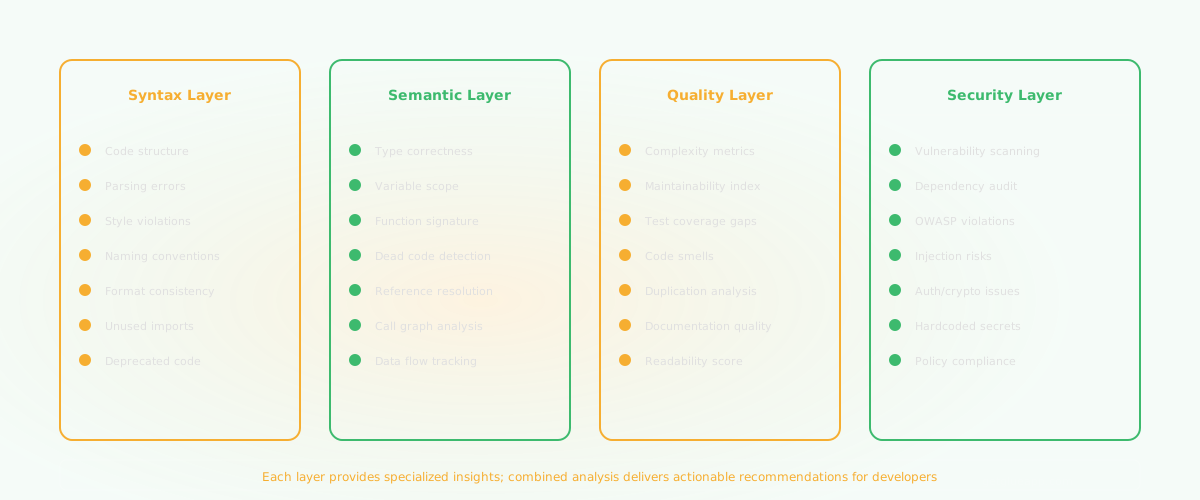
Automated code insights flip this. A system analyzing the codebase continuously can tell you: "This module is 40% more complex than your average module," "This system has 23% more test coverage than last quarter," "Coupling between module X and module Y has increased 15% this quarter," "This area of the codebase hasn't been touched in 8 months." These are facts derived from objective analysis, not opinions.
For organizations, the leverage is significant. One investment in automated code analysis infrastructure pays dividends across every project, every team, every decision. You scale understanding without scaling the number of engineers needed to provide it.
Automated insights are generated through code analysis tools that examine:
Cyclomatic complexity: A measure of how many different execution paths a function can take. Higher complexity means harder to test, more likely to have bugs, and more knowledge required to modify safely. Tools automatically calculate this for every function.
Module dependencies: Which modules import which other modules, creating a dependency graph. Tools can identify circular dependencies, chains of coupled modules, and areas of high coupling. Changes in this graph over time show whether coupling is improving or worsening.
Test coverage: Which parts of the codebase are tested and which aren't. Tools measure coverage automatically and can identify gaps - - "this critical payment function has no test coverage" or "test coverage declined 5% this quarter."
Code ownership: Which engineers have written or modified the most code in which areas. Not just who works on a feature, but who has the most context from having maintained it over time. Tools analyze git history to identify the people most likely to understand a system.
Technical debt accumulation: Patterns that indicate debt - - long functions, high complexity, declining test coverage, unused code, deprecated patterns still in use. Tools can quantify technical debt trends over time.
Architecture violations: Patterns that violate your architectural intentions. If you designed the system so certain modules don't communicate, tools can detect when that boundary is crossed and alert you.
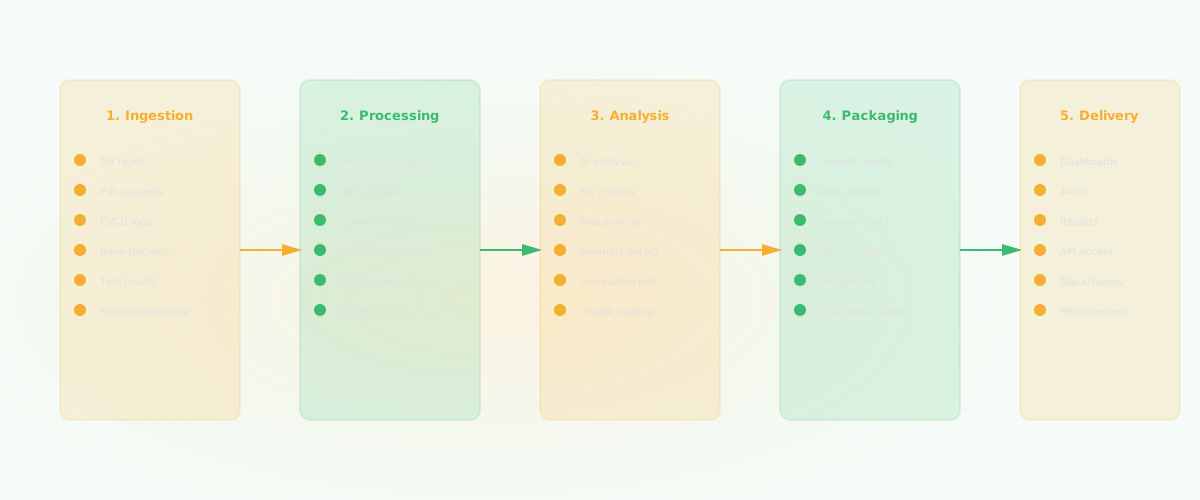
Change patterns: Which files change together, which changes are risky (touching many systems at once), which areas are stable vs. volatile. Tools track which changes affect multiple systems and flag high-risk changes.
A product team is considering two features: Feature A (estimated at 2 weeks) and Feature B (estimated at 3 weeks). The team has capacity for one this quarter.
Without code insights, the decision is based on business value and rough estimates. With code insights, you get additional context:
Feature A touches the payment module. Automated analysis shows:
Feature B touches the user authentication module:
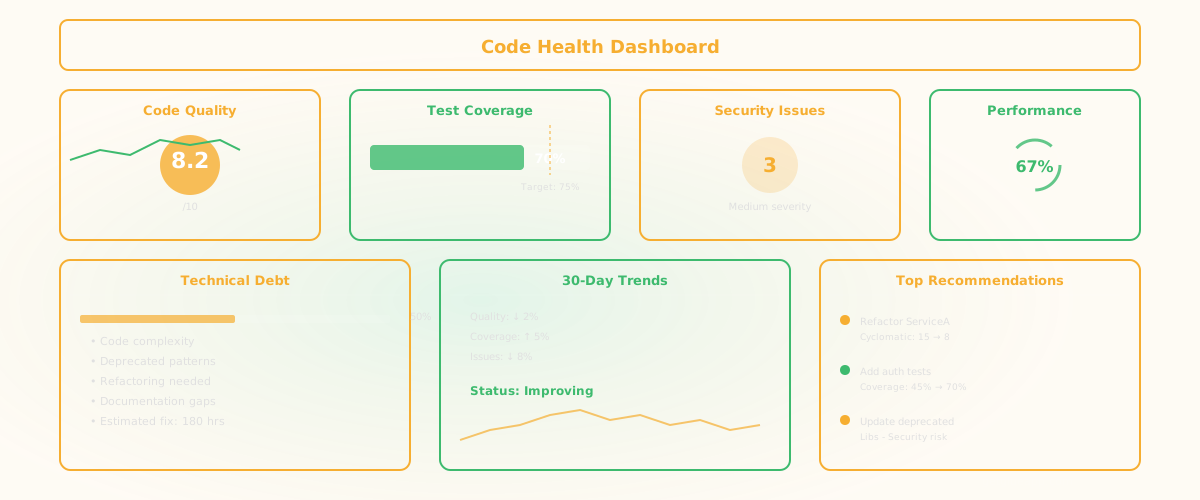
Now the business decision has more context. Feature A will likely take longer than estimated because the module is complex and the expertise is distributed. Feature B is well-maintained with good test coverage, so the estimate is more reliable. That context changes the priority calculation.
Instrument your codebase with analysis tools. Tools like SonarQube, CodeClimate, or custom analysis scripts generate metrics continuously. These should run on every commit, generating historical trends.
Set baseline metrics for your system. What's your average complexity? Coverage? Coupling score? Knowing your baseline tells you which areas are outliers.
Monitor metrics over time, not just snapshots. A single complexity measurement is interesting; a trend showing complexity increasing is important. Tools should track metrics per quarter and flag concerning trends.
Use insights to inform estimation. When estimating a feature, check the code insights for the modules it will touch. High complexity or low coverage should increase your estimate.
Use insights to prioritize refactoring. Don't refactor randomly. Refactor the modules that are most complex, have lowest coverage, or show highest coupling. Prioritize high-risk areas.
Share insights with product teams. Not raw metrics - - meaningful summaries. "This feature touches a highly complex area with low test coverage, so the risk is higher and estimate should account for refactoring time."
Misconception: Code insights tell you how long something will take. Reality: Code insights provide context for estimation, but they don't replace human judgment. A complex module might actually be well-understood by the team, reducing risk. An apparently simple module might have hidden dependencies. Use insights to inform estimates, not determine them.
Misconception: You should optimize all code metrics. Reality: You should optimize the metrics that matter. Low test coverage in utility functions is less critical than low coverage in payment processing. High complexity in one module is fine if it's stable and well-understood. Use insights to identify risky areas, not to optimize every number.
Misconception: Automated insights eliminate the need for code review. Reality: Insights flag patterns and metrics; review ensures correctness and quality. Insights might flag "this change increases complexity by 15%"; review ensures the change is actually correct. Both are necessary.
Q: How often should code insights be regenerated? A: Ideally continuously or on every commit. At minimum, regenerate quarterly. If you're only measuring annually, you miss trends and miss the opportunity to act on them early.
Q: Can code insights prevent bugs? A: Indirectly. Insights identify high-risk areas (high complexity, low test coverage) where bugs are more likely. By focusing testing effort on these areas, you catch more bugs. But insights don't prevent bugs directly - - good practices and testing do.
Q: How should teams react to declining code insights? A: Declining metrics (coverage dropping, complexity rising, coupling increasing) are signals to pause feature work and invest in refactoring. Some teams dedicate one sprint per quarter to addressing insights - - refactoring identified high-risk areas, improving test coverage, reducing complexity. This keeps the codebase healthy.
Keep reading
Related resources
