
Technical debt falls into seven distinct patterns — dependency tangling, test rot, documentation decay, configuration drift, API sprawl, parallel implementations, and dead code accumulation — each with different cost profiles and remediation strategies. Not all debt is equal: dependency tangling and test rot typically cost 3–5× more in developer time than documentation decay or dead code. Effective debt management requires pattern-level diagnosis, not a single "tech debt" backlog.
At Salesken, our technical debt wasn't a single problem — it was five different categories of problems masquerading as one Jira epic.
If you've been shipping code for more than a year, you have technical debt. The question isn't whether it exists - it's whether you can see it, measure it, and have a plan to address it. Most teams can't. They feel the drag of debt in slow deployments, fragile tests, and the growing anxiety around "what breaks if we touch this module?" - but they can't articulate specifically what the debt is.
I've spent a decade in codebases of all sizes, and the damage doesn't come from abstract debt. It comes from concrete patterns that recur across teams. These seven patterns are the ones that actually slow you down, create risk, and make hiring harder.
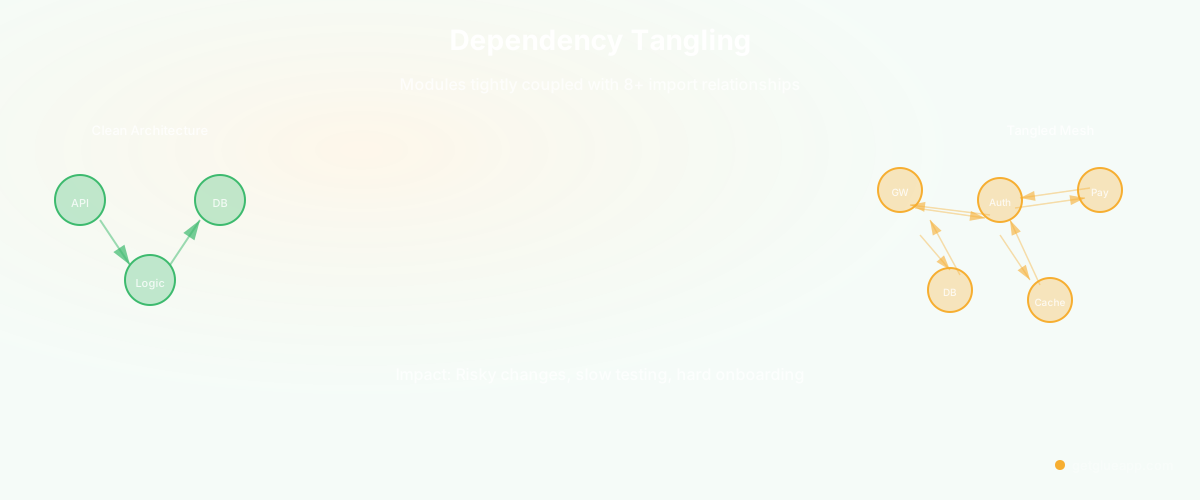
1. Dependency Tangling
Modules that should be independent have become tightly coupled through ad-hoc integration. You know this pattern when you can't change the API gateway without touching the database layer, or when updating the authentication service means modifying three different payment modules.
How to recognize it: When you try to extract a module for reuse or testing, you discover it imports from 8+ other modules, and those modules import from it in return. The dependency graph isn't a directed tree - it's a mesh. Changes to one module force cascading changes in unrelated areas.
What it costs: Every change becomes risky because you can't predict the impact. Testing becomes expensive because you need to mock everything. Onboarding slows down because new engineers can't understand a piece of code in isolation. Rewrites become architectural nightmares because you can't extract a subsystem - everything depends on everything else.
How to address it: Start with visibility. Map the actual dependency graph. Identify clear ownership boundaries. Make the coupling explicit with defined APIs instead of hidden assumptions. Gradually introduce a layering strategy: presentation can depend on business logic, business logic can depend on infrastructure, but nothing flows backward. This takes months, but it's worth it.
2. God Objects
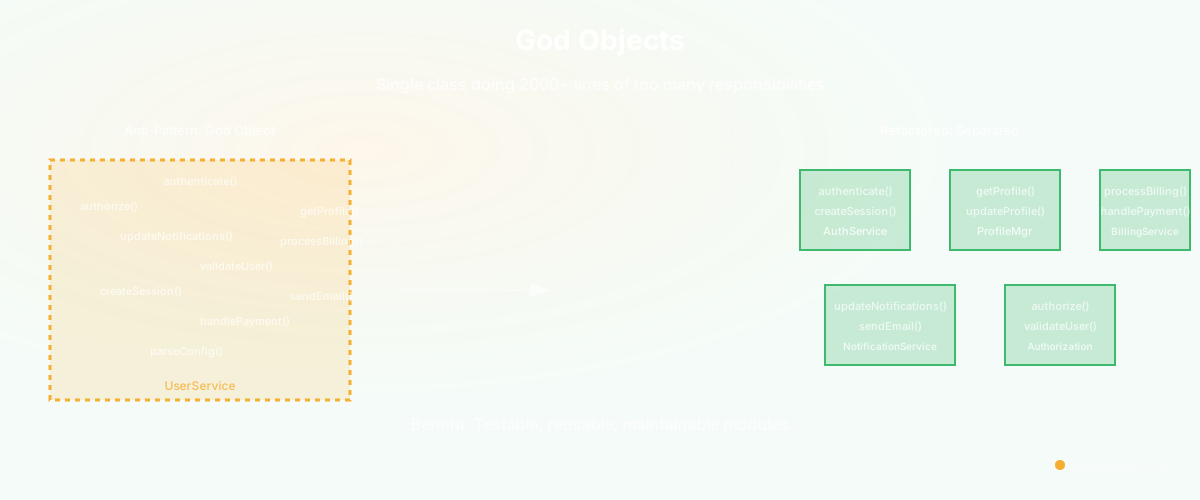
A single class or module that knows too much and does too much. The UserService that handles authentication, authorization, profile management, notification preferences, and billing. The EventProcessor that validates, deduplicates, enriches, and persists events. These modules expand to fill the entire codebase because they're convenient places to put "related" functionality.
How to recognize it: When the class has dozens of public methods that have nothing to do with each other. When you go to fix one bug and a dozen other features break. When pull requests to this file are always massive and touch unrelated logic. When the file itself is 2000+ lines.
What it costs: God objects become impossible to test. They're slow to load into short-term memory. They create false bottlenecks - everyone waits for everyone else's changes because they're all touching the same file. They're fragile; one misunderstood invariant breaks half the application. They're hard to evolve because a change to one aspect might break another aspect that hasn't been thought about in months.
How to address it: Break it apart by responsibility. UserService should handle authentication. A separate AuthorizationPolicy should handle authorization. ProfileManager should be its own thing. This is straightforward in principle but requires careful extraction to avoid introducing new dependencies. Start with the smallest responsibility you can separate cleanly.
3. Implicit Contracts
Interfaces that work only because of undocumented assumptions about call order, data format, or environment state. You see this in functions that require a specific setup step that's never mentioned in the documentation. Configuration that only works if you set environment variables in a particular order. Data pipelines that break unless the input has a specific structure that's only mentioned in a Slack conversation from 2023.
How to recognize it: When something works in production but fails in your tests, and the difference is some invisible precondition. When engineers regularly get surprised by how a system behaves. When the code works but the documentation doesn't match. When the first engineer to leave and come back three months later breaks the system because they forgot the implicit contract.
What it costs: Systems become fragile. New features accidentally violate implicit contracts and break existing functionality. Debugging takes forever because the error messages tell you what failed, not why. Refactoring becomes dangerous because you don't know what assumptions the code depends on.
How to address it: Make contracts explicit. Add assertions that validate preconditions. Document the sequence in which things must be called. Use type systems to encode invariants where possible. If initialization order matters, enforce it in code, not through convention. Make every assumption visible.
4. Test Debt
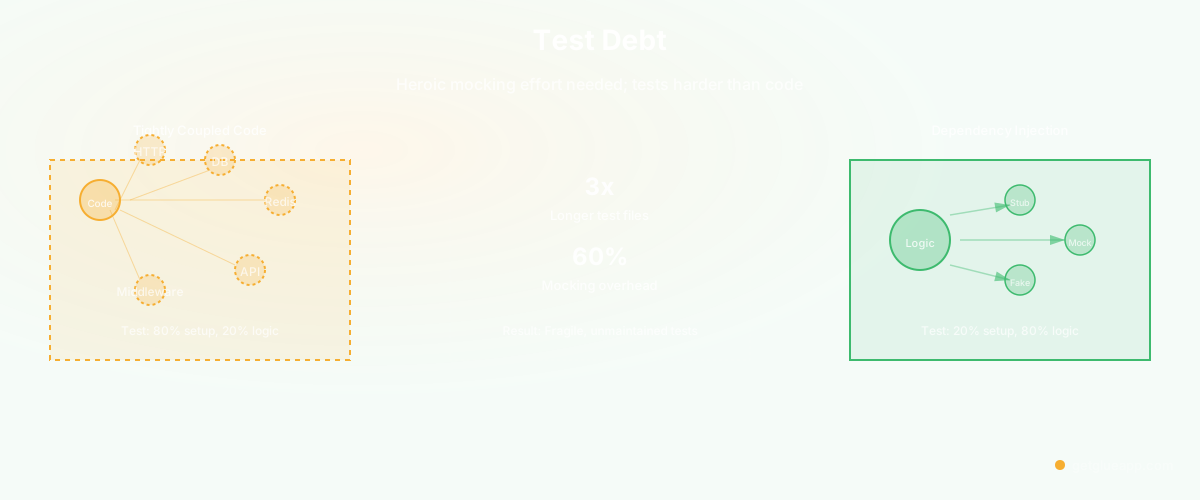
Production code that can't be tested without heroic mocking effort. Your payment processor that's tightly coupled to a specific HTTP client and a database transaction manager. Your recommendation engine that depends on a live Redis connection and three external APIs. Your admin dashboard that depends on a specific session structure and several middleware modules.
How to recognize it: When test files are longer than the code they test, and half the test is setup and mocking. When tests are fragile and break for environmental reasons, not because the code is wrong. When you avoid writing tests for certain modules because it's too hard. When new engineers ask "how do I test this?" and the answer is "you don't, it's too complicated."
What it costs: You lose confidence in your changes. Tests don't catch regressions because they're so brittle. You ship bugs because you test only through manual clicks. The modularity of your codebase declines because making things testable would require significant refactoring, so nobody bothers.
How to address it: Invert your dependencies. Push external connections to the edges of your system. Use dependency injection so tests can provide stubs. Break up the god objects where they exist. Start small - make your next module testable. Don't try to fix the entire legacy codebase at once.
5. Configuration Sprawl
Environment-specific logic scattered across the codebase. If-statements checking env === "production". Different S3 bucket names hardcoded in three different modules. Database connection strings in environment variables, also in secrets files, also in Docker compose overrides. Feature flags embedded next to domain logic instead of centralized.
How to recognize it: When deployment to a new environment requires changes to production code. When environment-specific bugs can't be reproduced locally. When the same configuration is defined in three places with slightly different values. When you're not sure which environment variable actually controls a behavior.
What it costs: Deployments become error-prone. You can't safely test behavior without running in the actual environment. Debugging production issues becomes slow because you can't reproduce them locally. Adding a new environment (staging, QA, a region-specific deployment) requires changes throughout the codebase.
How to address it: Centralize configuration. Environment variables should be read once, at startup, and distributed through dependency injection. Feature flags belong in a single source of truth. Code should be environment-agnostic; the configuration should make it behave differently in different environments.
6. Parallel Implementations
The same logic implemented in multiple places that have silently diverged. The user validation that exists in the frontend, in the API gateway, and in the payment service. The product recommendation algorithm that's implemented in the recommendation service, also in the batch job, also in the real-time processor. The retry logic that's implemented differently in three microservices.
How to recognize it: When the same business rule gives different answers depending on where you check it. When you fix a bug in one place and discover three months later that the same bug exists in a parallel implementation. When you question whether two implementations are actually doing the same thing and realize you're not sure.
What it costs: Bugs multiply. A fix in one place doesn't fix the bug everywhere. Knowledge becomes fragmented - engineers don't know which implementation is the authoritative one. Changes to business logic require coordinated changes across multiple modules. Bugs can exist in production for months because the implementations have silently diverged.
How to address it: Consolidate. Extract the logic into a shared library or service. Have one implementation that everyone uses. This sometimes requires architectural changes, but the alternative is compounding divergence.
7. Documentation Lag
Code that's changed significantly but whose documentation describes the old version. The architecture doc that says requests flow through the API gateway, but the code now handles them with serverless functions. The README that describes a deprecated command. Comments that reference systems that don't exist anymore. README examples that don't work because the code changed but the docs didn't.
How to recognize it: When you read the documentation and then read the code and they don't match. When examples in the docs fail when you try to run them. When you spend an hour tracing through code because the docs sent you down a wrong path.
What it costs: Documentation becomes useless. New engineers read it and become confused. Decision-making becomes harder because you can't trust the written history. Debugging becomes slower because the documented architecture isn't the actual architecture.
How to address it: Treat documentation as code. Include it in code review. Make it easier to keep current - auto-generate what you can, link documentation from code so changes to code trigger documentation updates. If a doc describes how the system works and the system changes, the doc must change too.
The Common Thread
All seven patterns share something: they're invisible in code review. You can have great PR hygiene, thorough code review, solid test coverage, and still accumulate these patterns. They emerge from a thousand small decisions that made sense at the time. They compound because nobody has visibility into the patterns themselves.
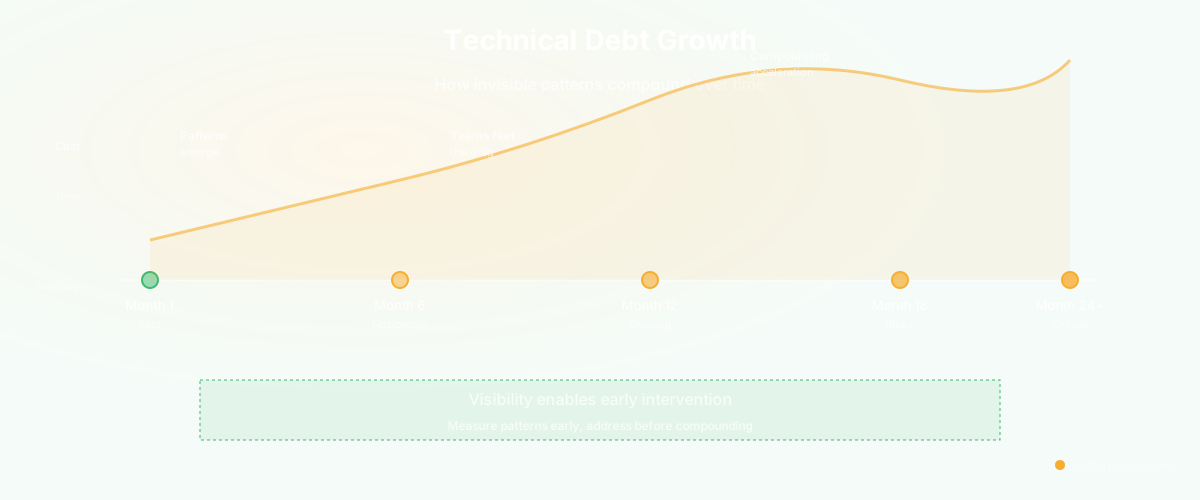
The way out is visibility. You need to see dependency complexity, test coverage gaps, undocumented contracts, configuration spread, duplication, and divergence between code and documentation. Teams that treat the codebase as a product and document these patterns as they work tend to stay healthier - this is what top engineering teams do differently. Most teams rely on engineers' instincts to find these - "we feel like this module is getting too big" or "deployment is getting scary." By the time you feel it, it's a problem.
When you can measure and track these patterns, you can actually do something about them. You can make decisions with context. You can see when a refactoring has worked. You can onboard engineers faster because they understand the patterns. You can ship faster because the codebase isn't fighting you.
Frequently Asked Questions
Q: How do I prioritize fixing technical debt when I have feature work to ship?
A: Start with the patterns that block your most important work. If dependency tangling is slowing down deployments of critical services, fix that first. If test debt is making it hard to iterate on a core module, address that. The debt that blocks your path is the debt to fix. Track cycle time and change failure rate to quantify which patterns cost the most. Not all debt costs the same — prioritize by impact.
Q: Aren't some of these patterns necessary for code reuse or flexibility?
A: There's a difference between explicit coupling and implicit coupling. If you intentionally design a shared library and document the contract, that's different from implicit contracts that nobody knows about. Parallel implementations for reuse (like a shared library that multiple services consume) is fine - parallel implementations that diverge silently is the problem. Make the choice explicit, not accidental.
Q: How do I know when I've addressed a pattern successfully?
A: Your codebase becomes easier to work with. Changes are faster because you understand the impact. Tests are easier to write and more stable. Onboarding new engineers goes faster. Engineering efficiency metrics can quantify these improvements. Deployments become less risky. These are the signals that the pattern has been addressed.
Related Reading
- Technical Debt: The Complete Guide for Engineering Leaders
- Code Refactoring: The Complete Guide to Improving Your Codebase
- DORA Metrics: The Complete Guide for Engineering Leaders
- Software Productivity: What It Really Means and How to Measure It
- Code Quality Metrics: What Actually Matters
- Cycle Time: Definition, Formula, and Why It Matters
- Technical Debt Metrics: How to Measure and Track Tech Debt
- Technical Debt Reduction Playbook
- Cursor and Copilot Don't Reduce Technical Debt
- What Is Technical Debt Prioritization?
- What Is Measuring Technical Debt?
- Glue for Technical Debt Management
- The Engineering Manager's Guide to Code Health